
Content library
Upload images, videos and presentations and organize them into folders.

 ATC GroupTechnology · Design · Marketing
Choose your language
Displays & signage
Organize media, schedule playlists and manage digital displays remotely through the cloud.
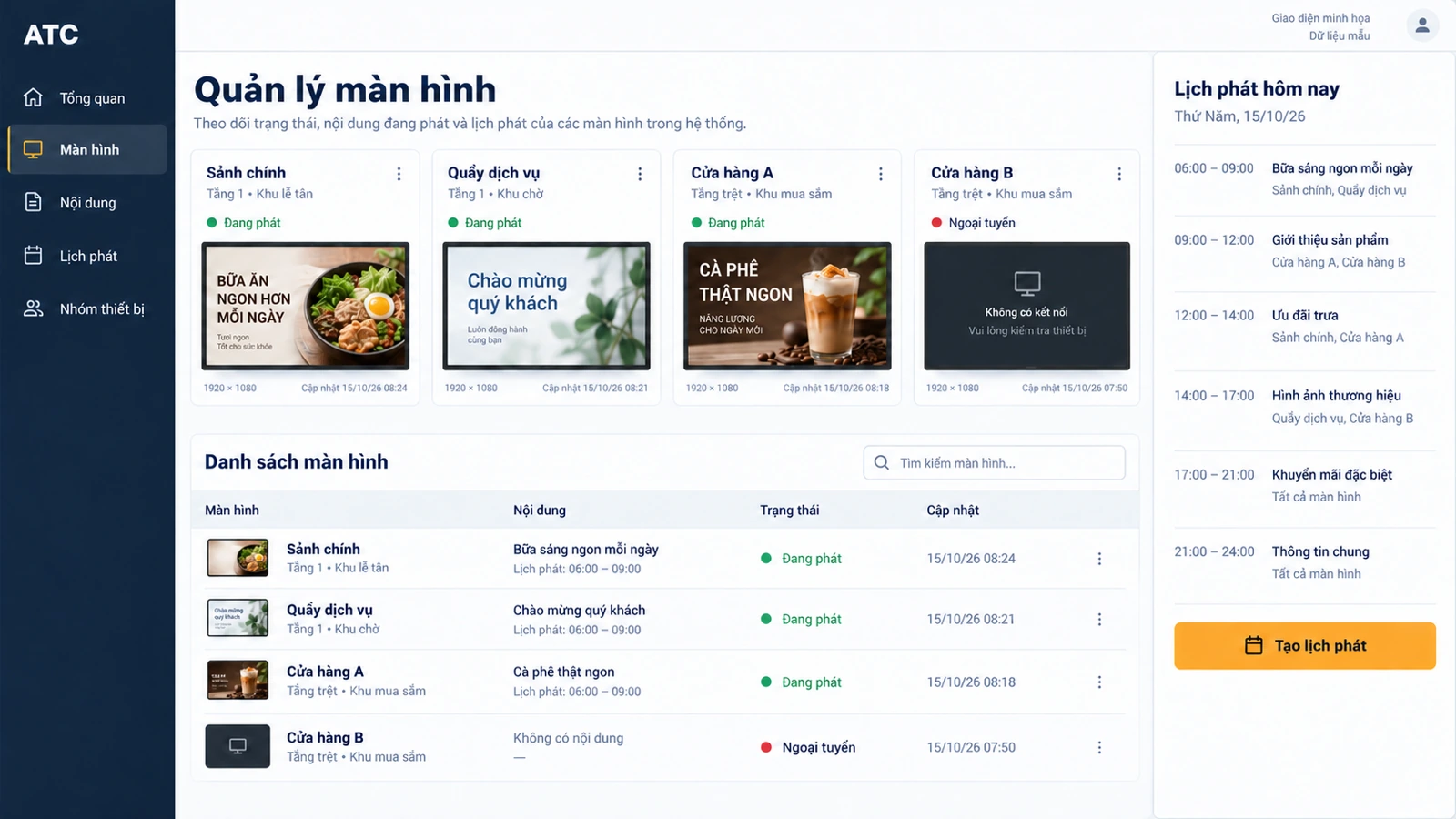
Interface illustration
Manage media and screens through one cloud workspace.
Upload images, videos and presentations and organize them into folders.
Choose a time of day, day of the week or specific date. Set content to expire when it is no longer relevant.
Manage individual screens and groups of displays remotely.

AI capabilities
A shared campaign still needs local offers, formats and schedules. AI can prepare location-specific versions and organise the proposed rollout in one review. Screen logs and alerts become a follow-up list, so operators know which location needs attention.
Give AI a promotion, audience and screen format. Receive headline and layout suggestions to review together, instead of drafting each display message from scratch.
Prepare one campaign for several locations, with local wording and schedules. AI keeps shared brand rules in each draft so teams review differences, not rebuild everything.
“Which screens need attention?” AI groups device alerts and playback logs into a short action list, helping staff investigate without reading every log.
AI options depend on product edition, connected data and agreed scope. Your team reviews drafts before orders, messages or changes are submitted.
Discuss AI optionsAdapt the display experience to your audience and location.
Show information such as news, sales updates and social feeds.
Use supported touchscreens for interactive content and customer responses.
Manage signage content from a phone.
Discuss automation and data-driven content distribution for the intended deployment.

Build a repeatable publishing workflow for your screens.
Add images and video to the content library.
Create playlists and drag content into the required order.
Set the display period for each playlist.
Assign a playlist to one screen or a group of screens.
Define the layout, access and reporting your team needs.
Use custom screen regions and templates for menus, building directories or notices.
Discuss weather, clocks, news and content optimized for your display hardware.
Configure permissions and multi-account support for the people managing screens.
Review device status and playback information. Discuss integrations and payment methods when needed.
Prepare your business type, country, number of locations and the workflows you want to improve.
Ask ATC to confirm device models, payment providers, integrations and data migration for your project.
Confirm software, hardware, setup, training, support and recurring fees in your quotation. Product images do not confirm hardware availability.