


Voice agent & order drafts
“Two burgers, one without onions.” AI separates items and modifiers into an order draft. Staff confirm the details instead of typing the conversation again.
Preparing the ordering experience
Give guests one place to explore your menu, order delivery or pickup, and book a table. Connect orders with your POS and give customers reasons to return with offers and loyalty.
For restaurants, cafés and takeaway businesses that want a closer connection with their guests—from the first menu visit to the next order.
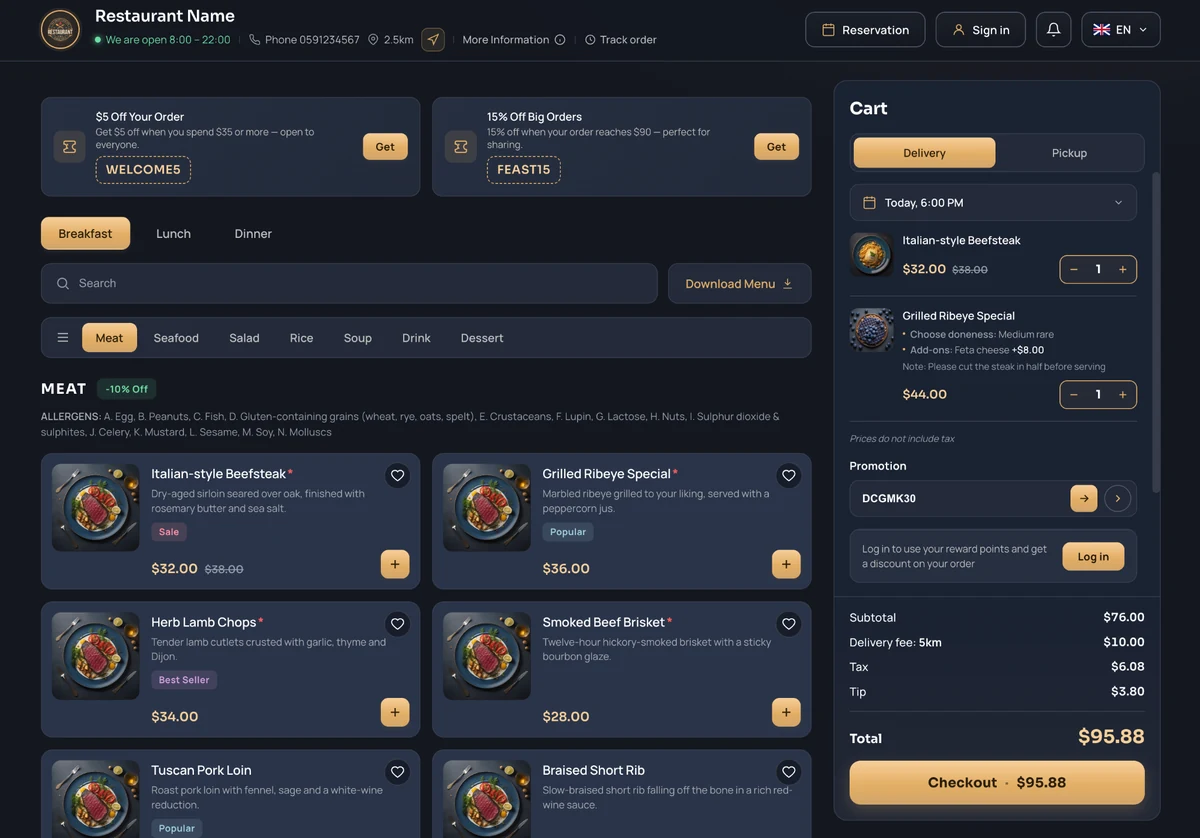
Online storefront → POS → kitchen → fulfilment
Delivery • scheduled 18:00
Promotion applied • cart ready
Restaurant identity, theme, language and ordering experience.
During a busy service, every phone order takes attention away from the floor. Let guests choose dishes and leave their preferences online, with a POS connection to reduce re-entering orders.
AI capabilities
Help guests explore your menu, turn spoken requests into order drafts and ask questions about your sales. Discover which AI options could support your team.
“Two burgers, one without onions.” AI separates items and modifiers into an order draft. Staff confirm the details instead of typing the conversation again.
“What comes with this dish?” AI explains listed ingredients, options and prices, then prepares the chosen items for review. Ingredient questions stay tied to approved menu information.
“Which items sold best this week?” Get a ranked summary with source records. Move from opening reports and filtering rows to reviewing the answer.
AI options depend on product edition, connected data and agreed scope. Your team reviews drafts before orders, messages or changes are submitted.
Discuss AI optionsHelp guests find what they want, order the way they prefer and stay connected with your restaurant. Explore the features that make each step simpler.
Serve guests at home or on the go. Delivery and pickup choices stay with the order, so your team can see how each guest wants to receive it.
Let guests plan lunch, a meeting or a family meal ahead of time. They choose an available date and time when placing the order.
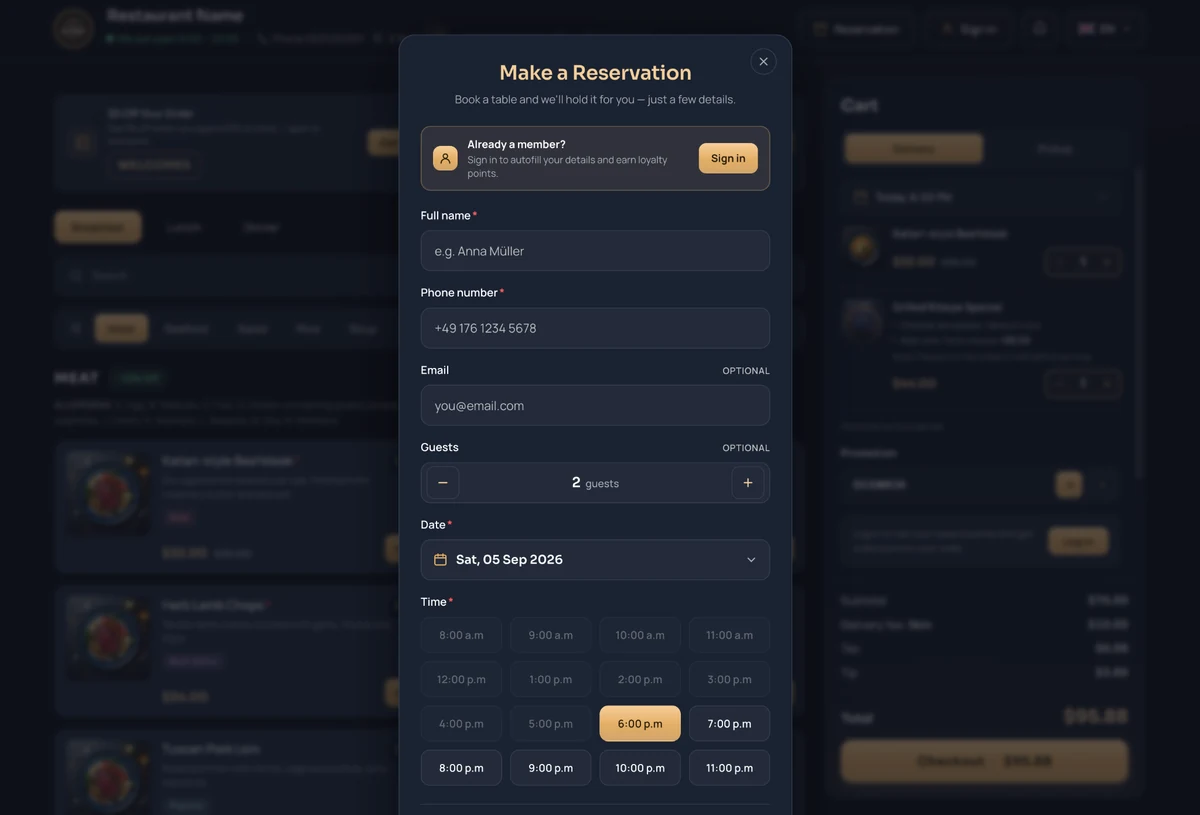
Turn interest in your menu into a table booking. Guests choose their party size, date and an available time; members can sign in to autofill their details.
Give guests a reason to choose your restaurant again. Highlight offers, accept promotion codes and let members use reward points as they order.
Keep the relationship going after checkout. Guests can follow current orders, find upcoming pickups and reservations, and return to saved favorites and account details.
Welcome guests in the language they understand. Plan your menu and restaurant information around the customers and market you serve.
Help hungry guests find their next favorite. Organize dishes by meal and category, offer search and menu download, and highlight popular choices.
Help guests explain exactly what they want. Show dish details and allergen information, with add-ons and notes for their preferences.
Keep useful answers close at hand. Guests can find your hours, contact details and location, then follow the progress of their order.
Browse a menu, customize a dish, choose how to receive it and follow the order. Select a feature below to explore the experience your guests could enjoy.
Help hungry guests find their next favorite. Organize dishes by meal and category, offer search and menu download, and highlight popular choices.
Whether guests order from their desk, sofa or on the move, your menu, cart and reservation options stay within easy reach.
Browse dishes and review the cart side by side, with room to compare options before ordering.
Explore the menu and adjust an order comfortably with touch controls on a tablet.
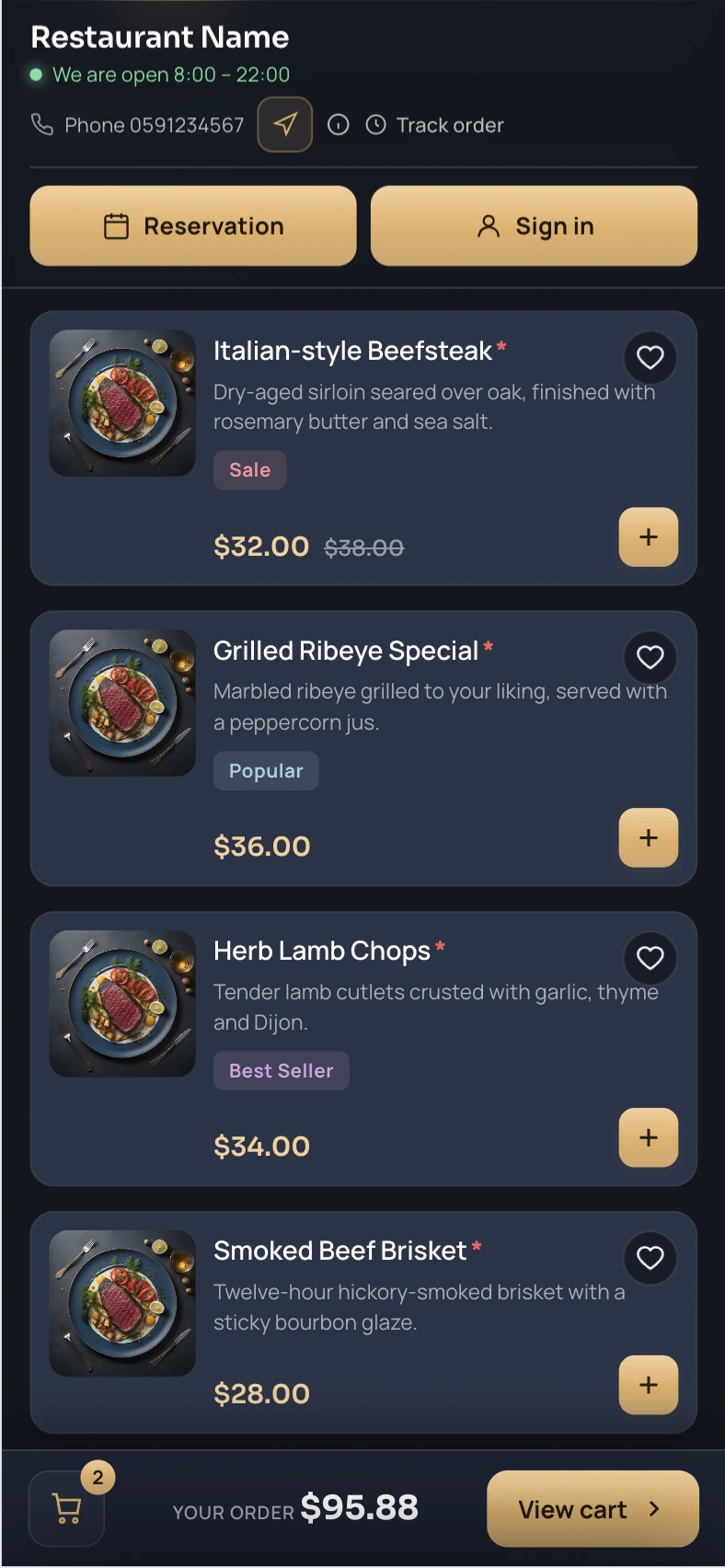
Choose dishes, add favorites and keep the cart close while ordering from a phone.
Guests can check opening hours, sign in or book a table without leaving your ordering website.
Desktop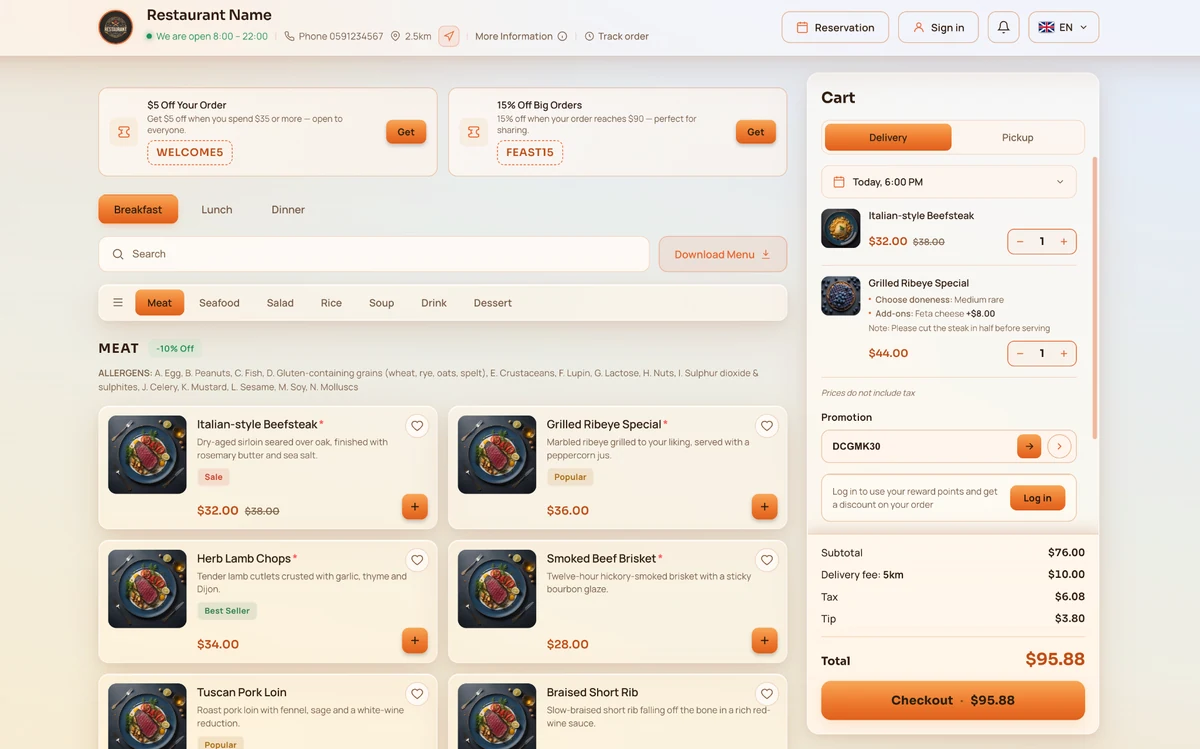 TabletMobile • portrait
Choose from a wide range of themes and adapt the colors to your restaurant’s brand. The screens below illustrate a few possibilities; more themes and color combinations are available.
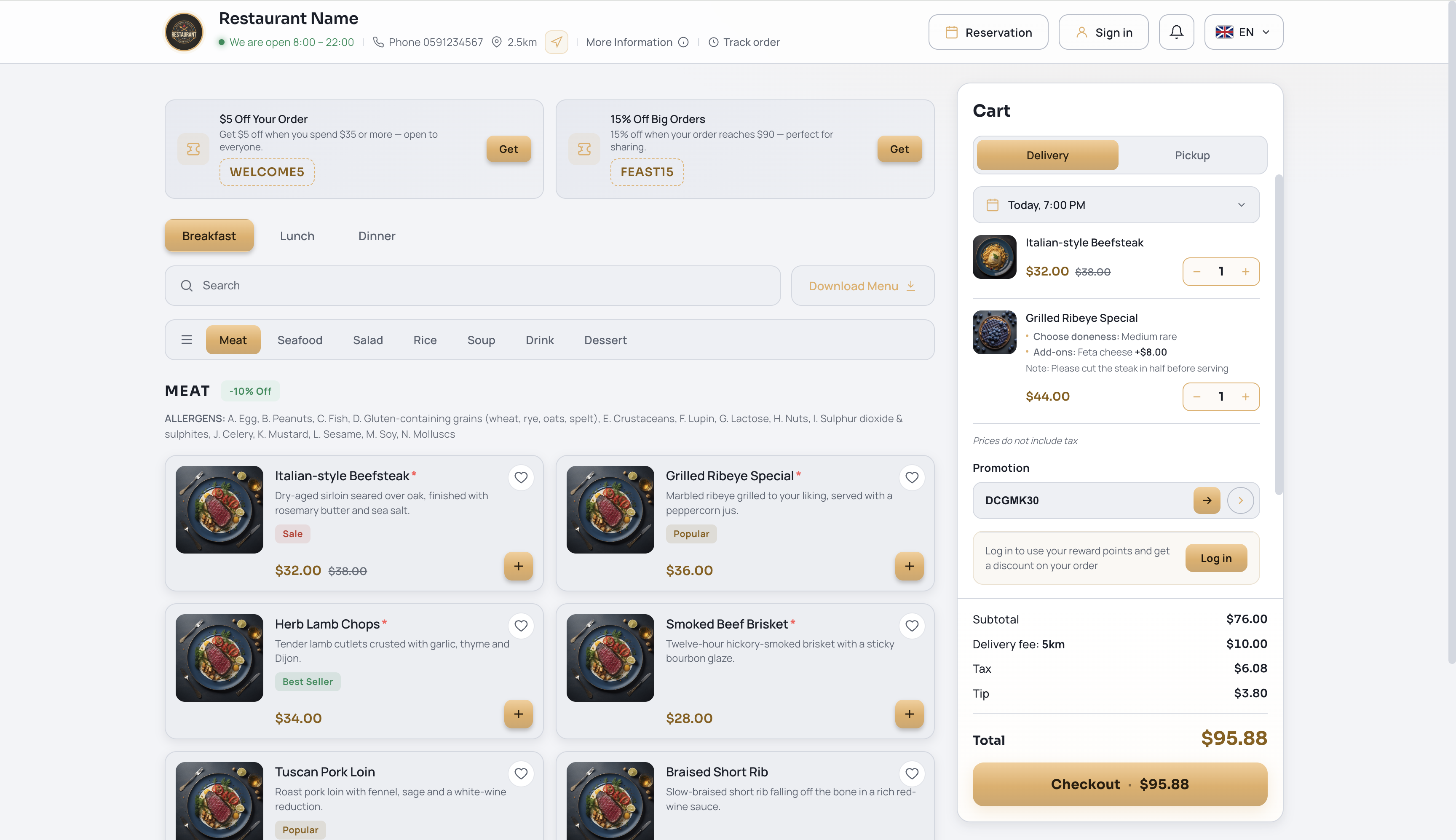
Bring your restaurant’s identity to the ordering experience with your logo, colors and menu content. Tell us about your brand and we will explore a suitable direction together.
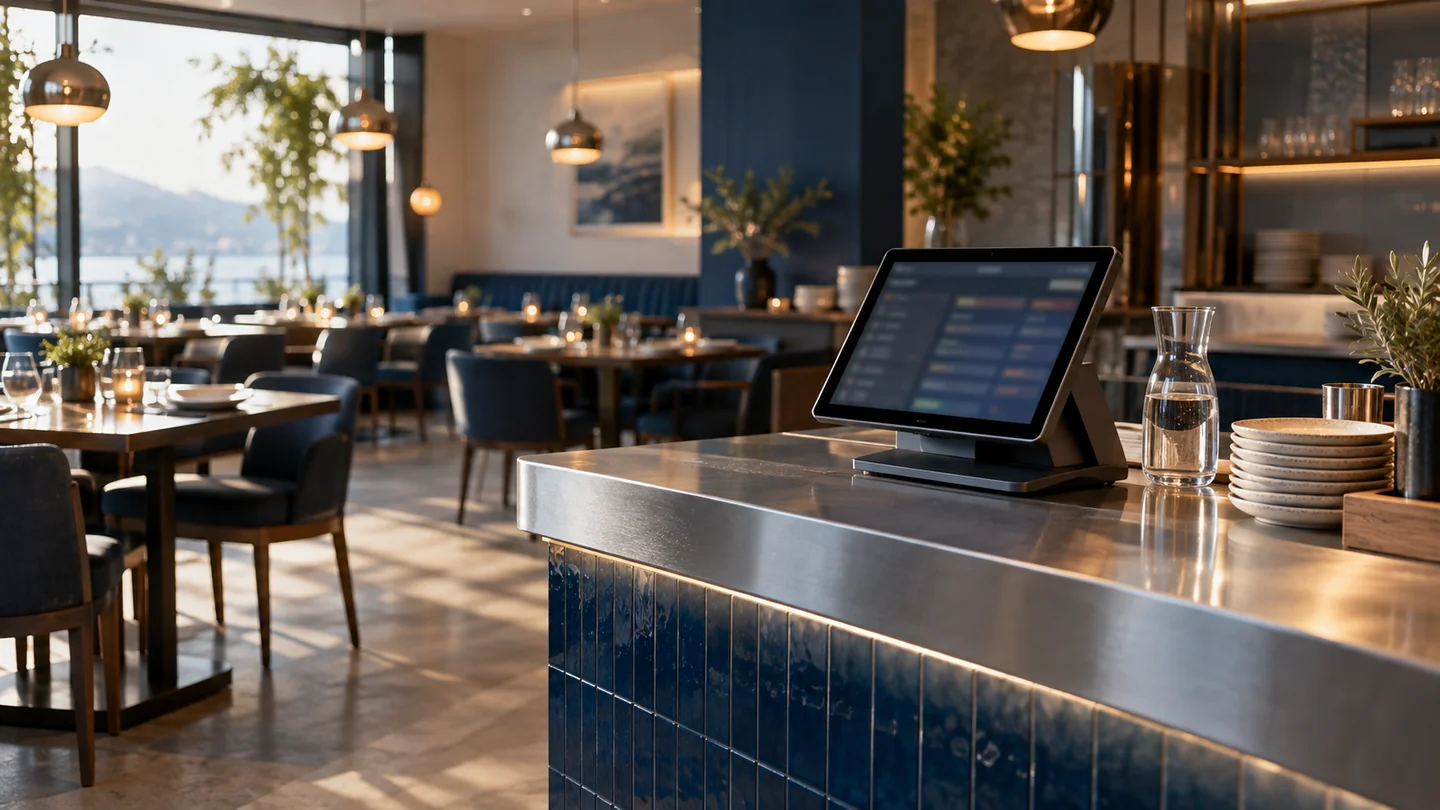
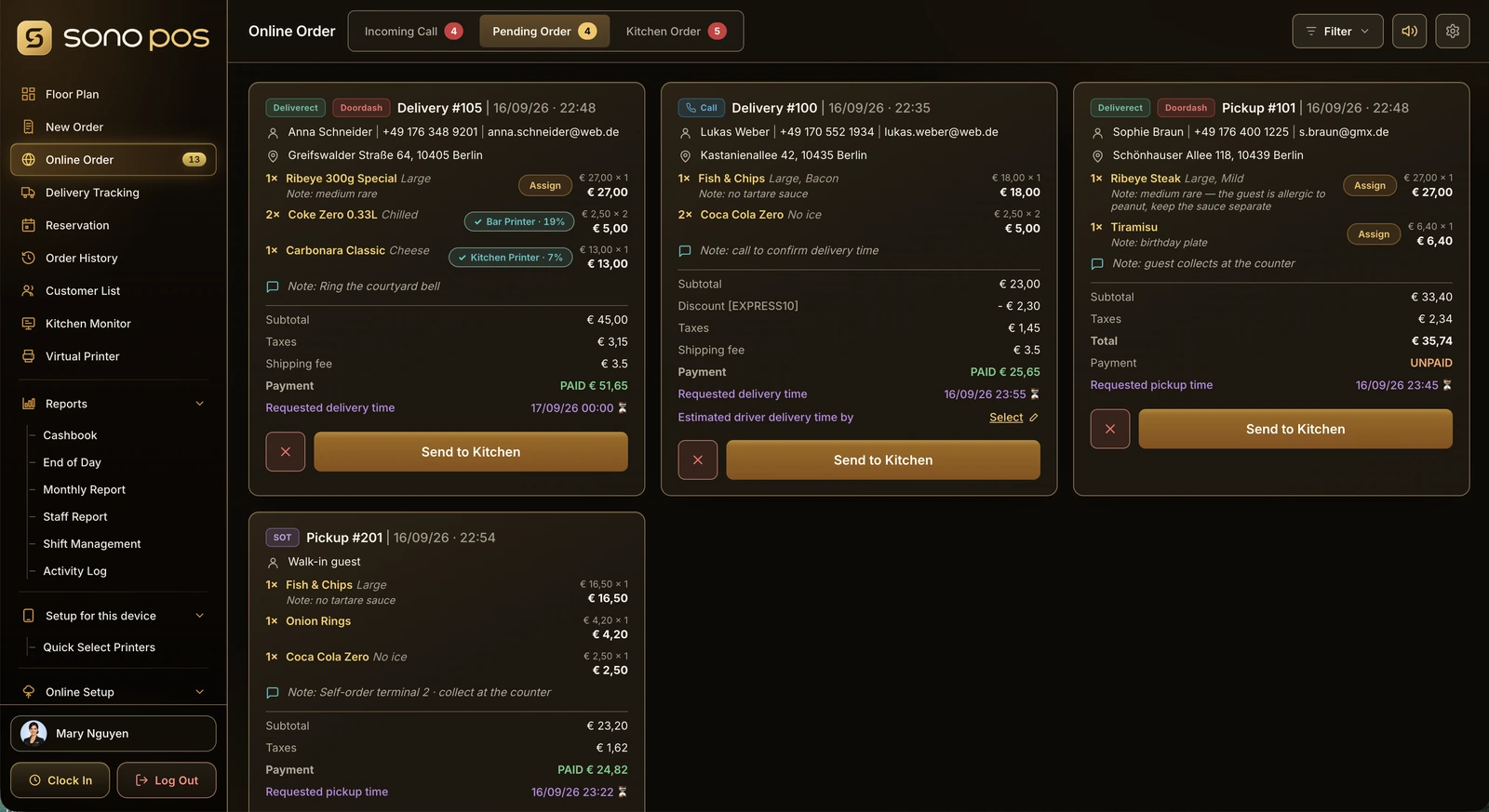
From the guest’s order to kitchen preparation and handover, keep the next step clear for your team. Explore how Online Ordering can connect with your POS and delivery workflow.
Give your team a clearer path from receiving an order to preparing and handing it over, using the restaurant tools connected for your setup.
Exact integration scope, payment providers, delivery providers and product editions are defined per implementation.
Menu, reservation, cart and checkout.
Online and in-store order context.
Preparation status and routing.
Complete the fulfilment journey.
From a quick takeaway lunch to a planned dinner out, shape the ordering experience around the occasions your guests come to you for.
Let guests discover your menu, reserve a table and plan their next visit in one place.
Help guests choose a meal, set a pickup time and review their order before they arrive.
Make breakfast, lunch and seasonal offers easy to discover, with favorites for returning guests.
Build an ordering experience around each restaurant’s identity, customer language and service model.
Are your restaurant customers asking for their own ordering website? Explore a partnership with ATC to offer online ordering alongside your POS, consulting or software services.
Explore the Partner Program →Start with an existing restaurant product and tailor the branding, language and agreed features to your customers. Talk to ATC about a fit for your market.
Your restaurant brandMobile orderingCombine theme, language, restaurant content and connected ordering into one customer-facing product.
Tell us how you receive orders today and what you would like to improve. ATC can walk you through the relevant features and discuss your POS connection, branding and rollout scope.
Prepare your business type, country, number of locations and the workflows you want to improve.
Ask ATC to confirm device models, payment providers, integrations and data migration for your project.
Confirm software, hardware, setup, training, support and recurring fees in your quotation. Product images do not confirm hardware availability.