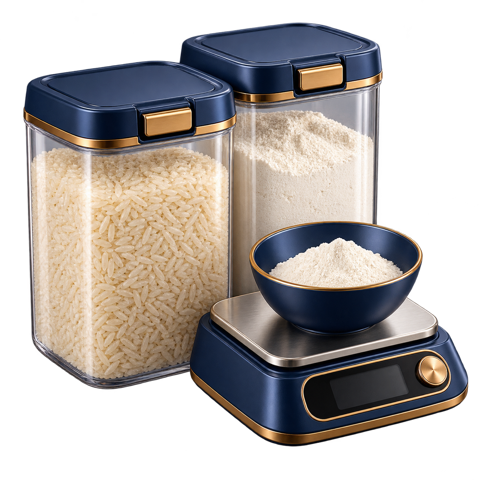
Have the right goods ready
Follow available quantities and low-stock thresholds so replenishment starts before a missing item interrupts a sale or service.

 ATC GroupTechnology · Design · Marketing
Choose your language
Inventory & ingredient control
Running out mid-service, buying too much, or chasing unexplained stock differences? ATC helps you see what is available, plan replenishment and give every stock decision a clearer starting point.
For restaurants, retail and stockrooms

Follow available quantities and low-stock thresholds so replenishment starts before a missing item interrupts a sale or service.
Review stock and usage together. See what needs attention before ordering more, especially ingredients that are easily wasted.
Bring recorded quantities, physical counts and stock movements into the same conversation. Resolve discrepancies with records, not recollection.
Ingredients & everyday supplies
Rice, flour, oil, drinks and takeaway packaging all tie up money. Organize them by item and unit so purchasing and the kitchen work from the same understanding of stock.
Separate kilograms, bottles and pieces; agree pack conversions before the workflow goes live.
Use stock levels and agreed minimum quantities to guide the next purchasing discussion.
Compare recorded movements with counts to spot items that deserve a closer look.


Stocktaking & supporting records
A quantity difference is the start of an investigation. A useful workflow connects the physical count to receipts, issues and transfers so the team can review what happened before agreeing an adjustment.
Explore a stock workflow
Select a step, then change the actual quantity to see the difference. This is an interactive workflow example with sample data; the delivered interface and modules are agreed for your project.
Workflow example · Sample data
| Stock item | Stock unit | On delivery note | Actually received | Stock difference |
|---|---|---|---|---|
| Jasmine rice | Stock unitkg | On delivery note25 | Actually received | Stock difference-0.5 |
| Cooking oil | Stock unitbottle | On delivery note12 | Actually received | Stock difference0 |
| Wheat flour | Stock unitkg | On delivery note20 | Actually received | Stock difference0 |
Enter a valid quantity of zero or more.
Rows to review: 1
Workflow example · Sample data
| Stock item | Stock unit | Sent quantity | Received quantity | Stock difference |
|---|---|---|---|---|
| Jasmine rice | Stock unitkg | Sent quantity10 | Received quantity | Stock difference0 |
| Cooking oil | Stock unitbottle | Sent quantity6 | Received quantity | Stock difference-1 |
| Wheat flour | Stock unitkg | Sent quantity8 | Received quantity | Stock difference0 |
Enter a valid quantity of zero or more.
Rows to review: 1
Workflow example · Sample data
| Stock item | Stock unit | Recorded stock | Physical count | Stock difference |
|---|---|---|---|---|
| Jasmine rice | Stock unitkg | Recorded stock25 | Physical count | Stock difference-0.5 |
| Cooking oil | Stock unitbottle | Recorded stock12 | Physical count | Stock difference0 |
| Wheat flour | Stock unitkg | Recorded stock18 | Physical count | Stock difference2 |
Enter a valid quantity of zero or more.
Rows to review: 2
Why build with ATC
ATC develops POS and business software for partners in Europe and Canada. That experience gives the stock conversation a wider context: how goods arrive, how they are sold and what the owner needs to review.
Agree item lists, units, locations and responsibilities before choosing the configuration. Your actual workflow sets the brief.
Discuss inventory alongside restaurant or retail POS, with the required data connections confirmed for the chosen edition.
Plan the interface, devices, training and support together. For partners, explore an inventory offer under your own brand.
Start with the items, units and stock thresholds you need to track. Pack conversions, recipe quantities, expiry tracking and automatic deductions must be confirmed against the selected edition and agreed scope.
Bring an item list, units, opening quantities and sample receipt, issue and count sheets. ATC can review the data structure and agree how information will be prepared and brought into the project.
Describe the POS edition, devices, locations and transfer process you use. ATC will confirm the connections, supported workflows and deployment scope before quotation; compatibility is not assumed from a product image.
A sample stock sheet and a description of your day-to-day process are enough to start a useful conversation about the right setup, rollout and support.
Plan your inventory setup with ATCDiscuss a partner inventory offer