

64%
of surveyed diners use an in-store kiosk multiple times a month.
2026 · 61% in 2025202561%
202664%

 ATC GroupTechnology · Design · Marketing
Choose your language
Kiosk / Large Touch Screen
Let guests choose, customise and review their own order. Your team can focus on preparation, handover and service while each screen presents the menu consistently.
Choose a device format that fits your space and service flow.
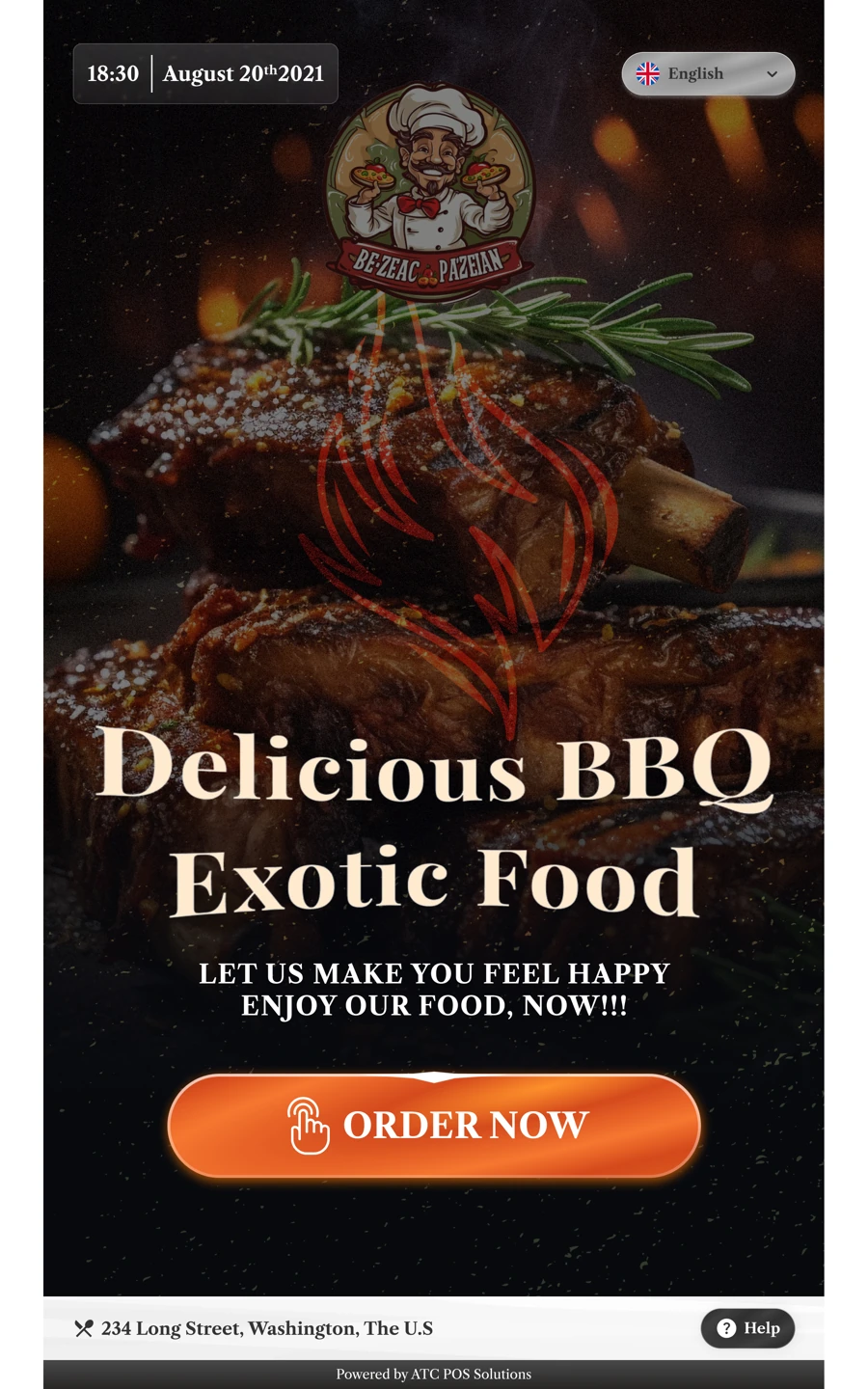
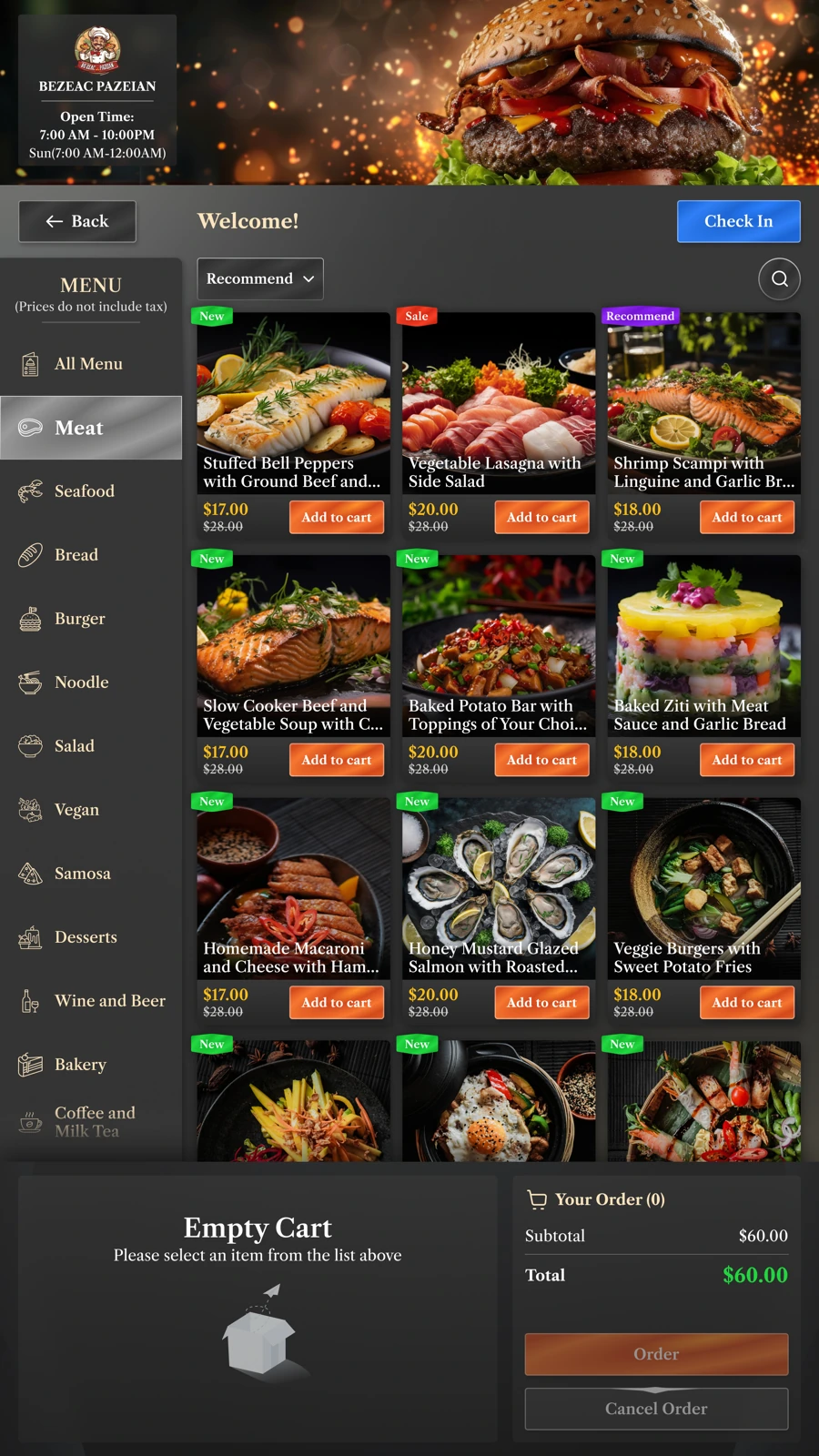
Browse dish photos, choose sizes, sauces and toppings, then review the selection.
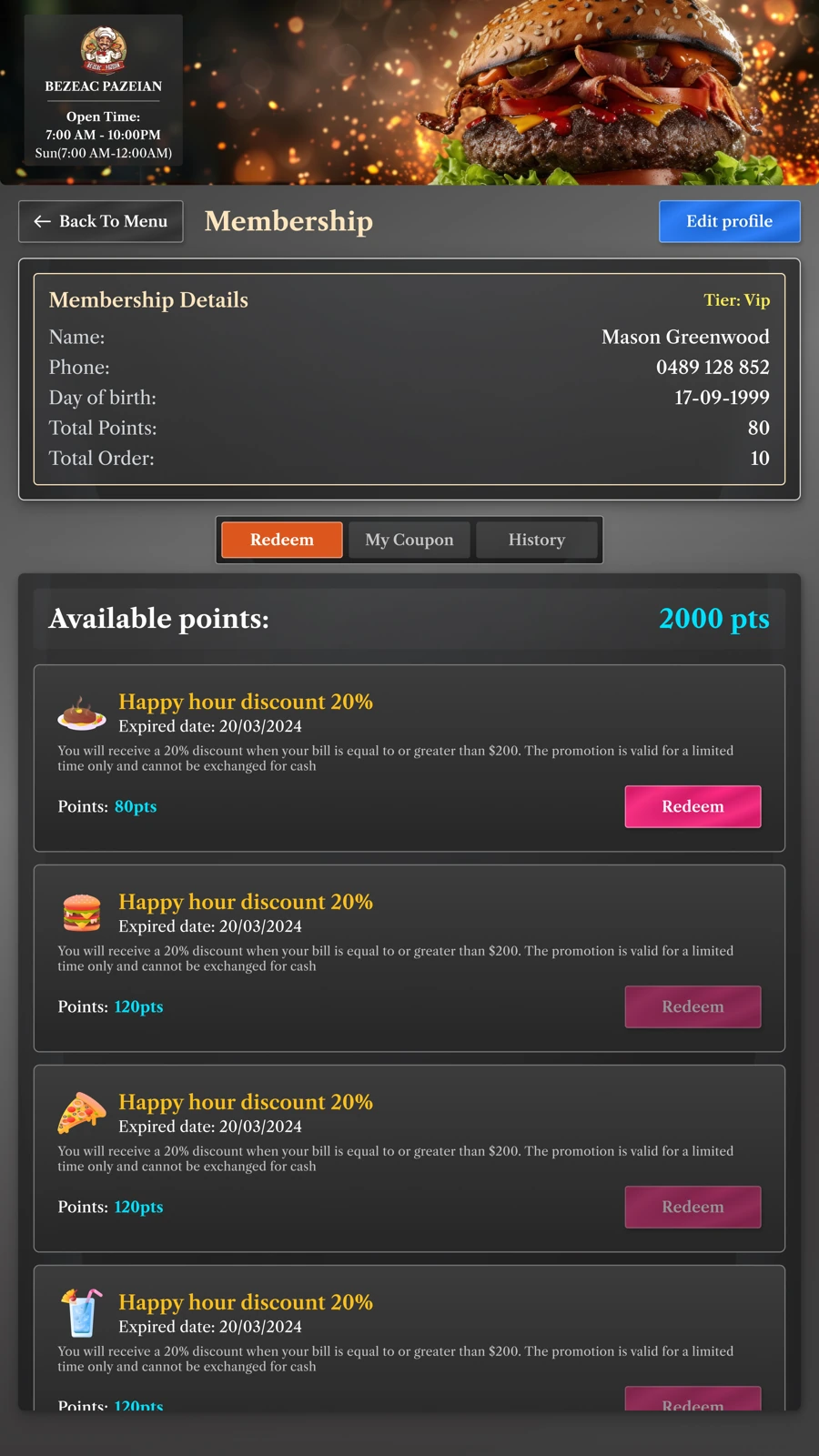
Show available points and let members choose eligible rewards.
Guide guests through payment instructions, order confirmation and the receipt.
Self-service demand
of surveyed diners use an in-store kiosk multiple times a month.
2026 · 61% in 2025are as satisfied or more satisfied ordering at a kiosk than with a cashier.
Tillster · 2026of limited-service customers would order through a self-service kiosk.
National Restaurant Association · 2024U.S. consumer research; market context, not an ATC sales forecast.
For owners & operators
An additional ordering point lets guests browse while staff prepare and hand over orders. Plan kiosk capacity alongside kitchen capacity.
Track: completed orders per peak hour.
Present sizes, toppings and eligible offers consistently. Guests can review the full price before paying, without relying on a rushed verbal suggestion.
Track: average order value and add-on rate.
Guests choose their own options and review the order. Agree the POS and kitchen connection so the team can work from the same confirmed details.
Track: corrected orders and clarification requests.
Compare similar trading hours before and after rollout, alongside staffing and kitchen capacity.
Inside the software
Seven stages, from the welcome screen to the receipt. Select a stage and open a screen to see the details.
Choose a language, then select dine-in or takeaway to start the order.
Browse categories, dish photos and featured offers on a large portrait screen.
Choose sizes, sauces and toppings, then check the item details before adding it.
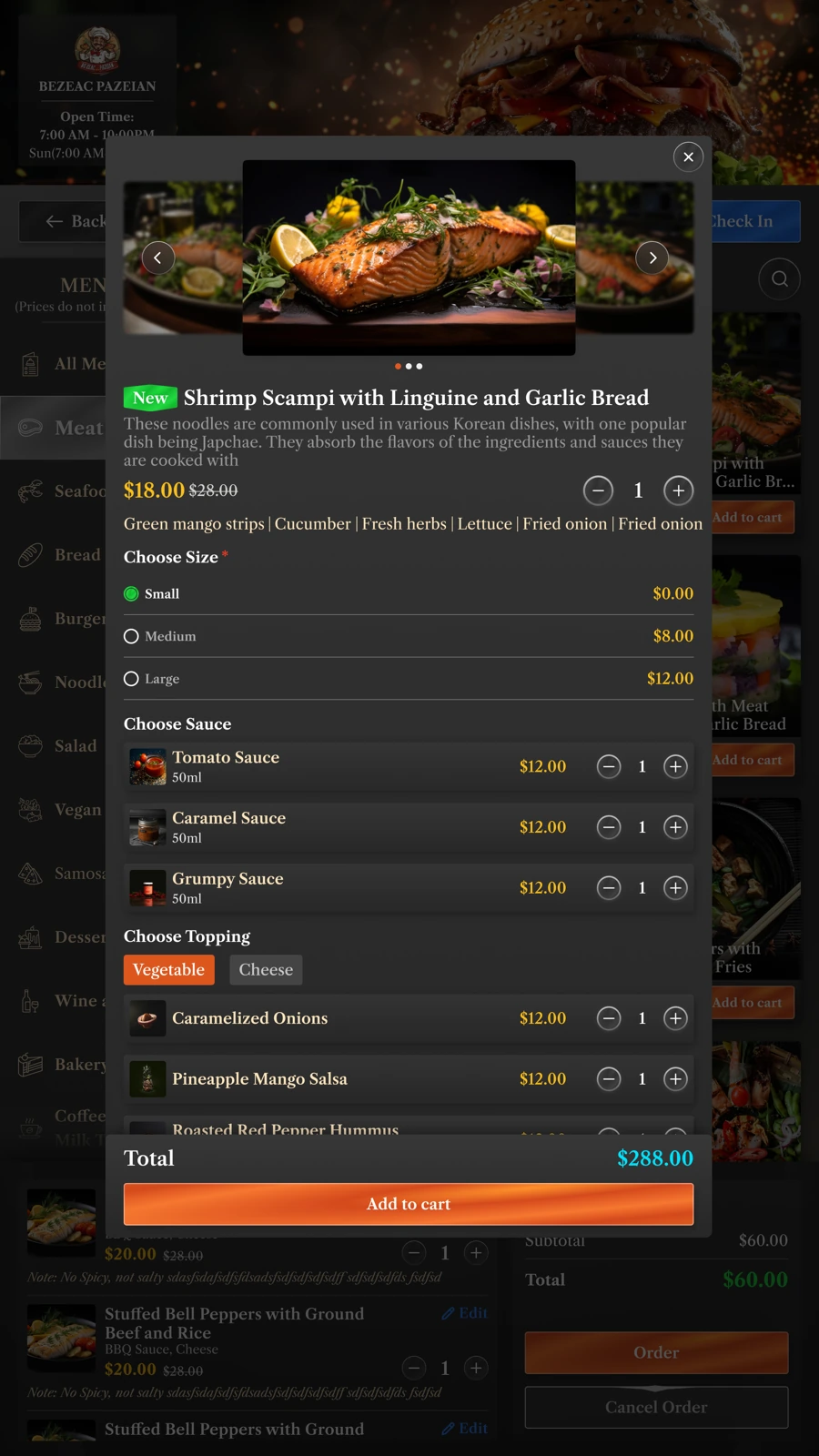
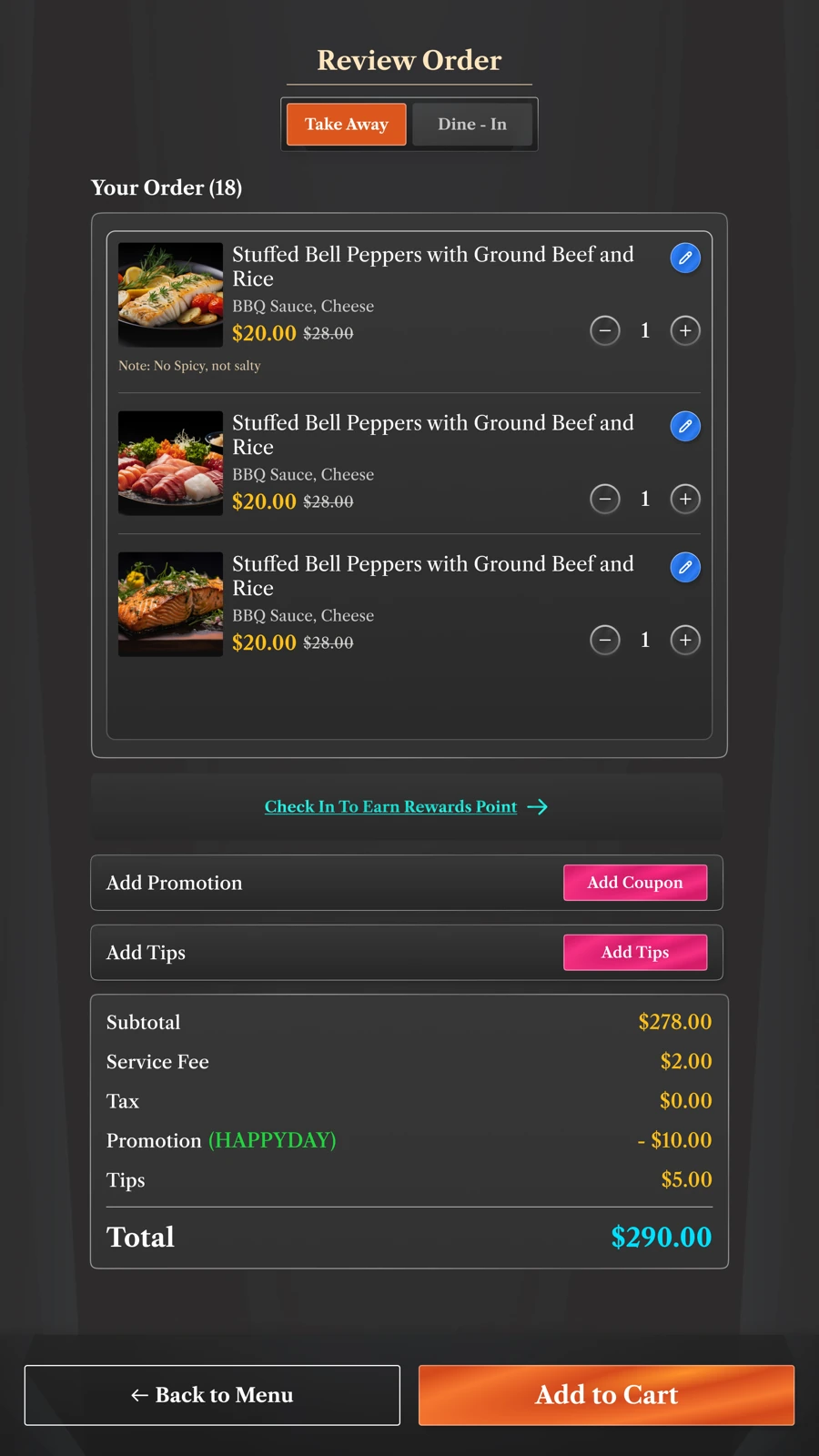
Check selected dishes, quantities and the order total in one place.
View available points and choose an eligible reward from the membership screen.
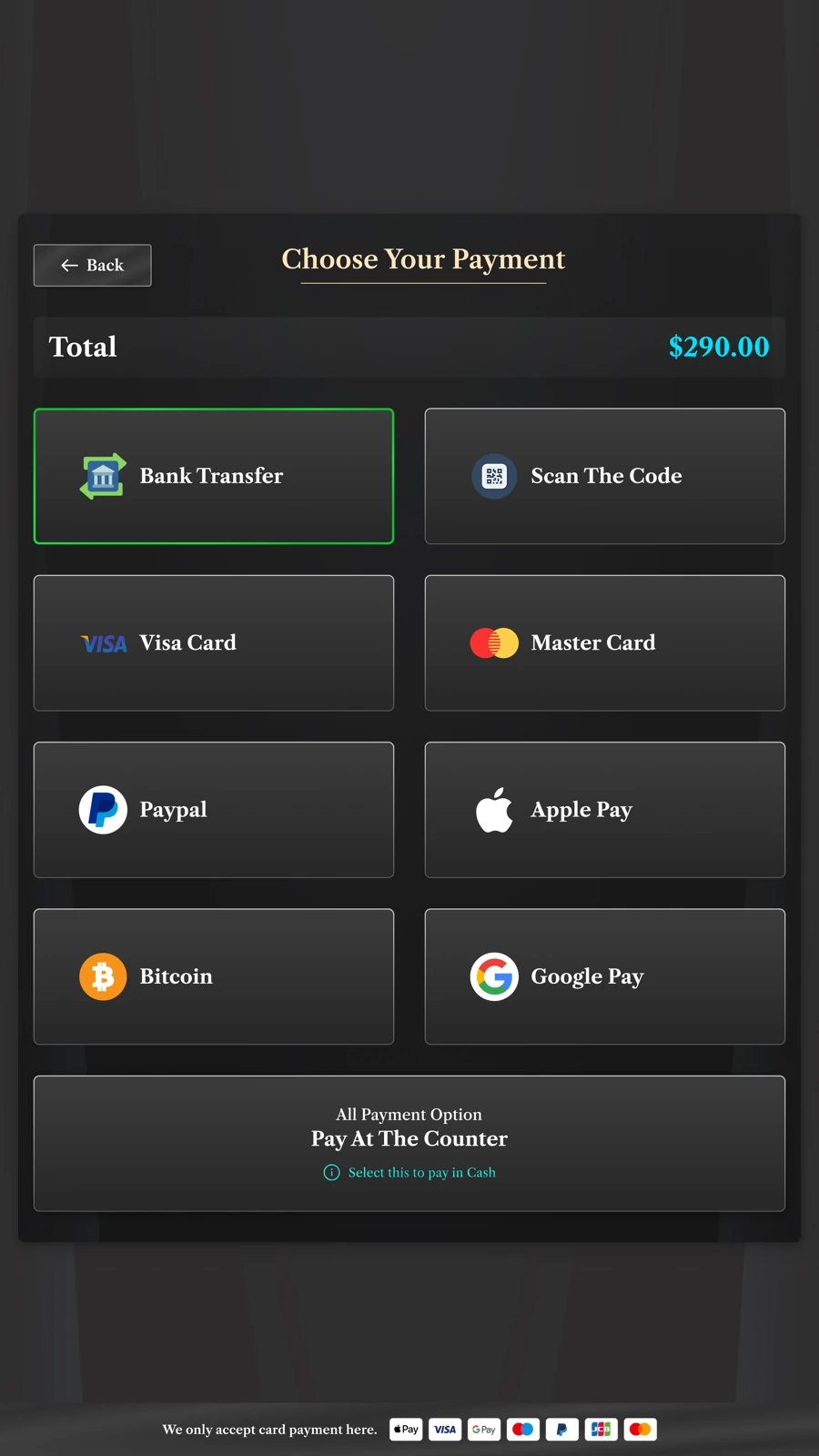
Choose a payment method and follow the on-screen instructions. Availability depends on the configured provider and device.
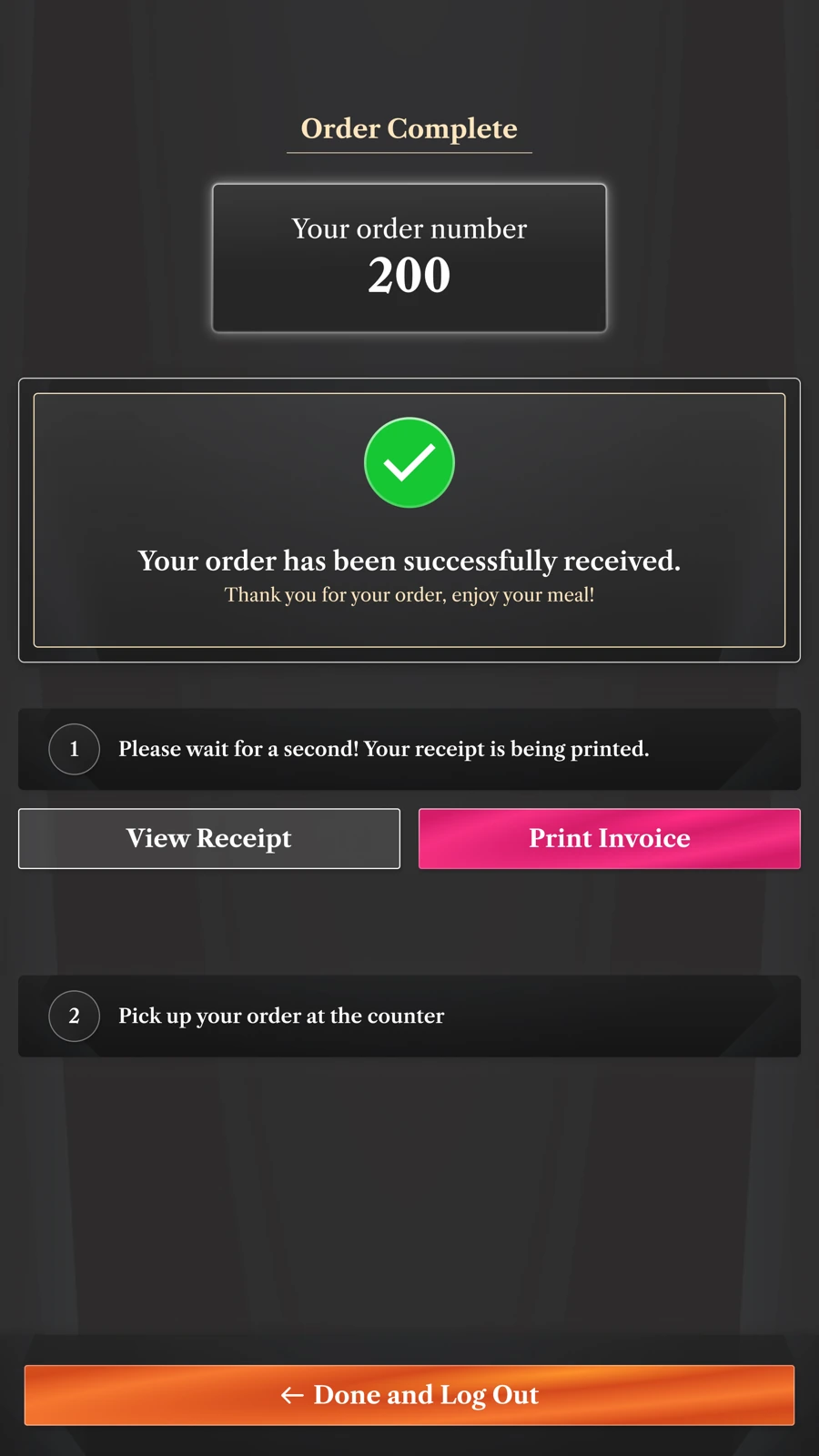
See the order confirmation, view the receipt and finish the session.
Membership & order review
Bring membership rewards and order details into the same customer journey.
Show available points and the rewards a member can redeem.
Review quantities, item choices and the order total before moving on.
Different locations, different journeys
Menu browsing, customisation and payment at the venue. A clear starting point for quick-service locations and multi-site restaurant brands.
Discuss product lookup, guided selection and checkout requirements with the retail solution team. Devices and integrations follow the agreed retail scope.
63% of Gen Z grocery shoppers in a U.S. survey preferred self-checkout.
NCR Voyix · 2025 report ↗Discuss appointment arrival, customer details and reception handover with the check-in solution team. This is a separate workflow from food ordering.
For resellers & implementation partners
Build a complete offer from software, a suitable device and installation. Agree your buy price, selling price and delivery responsibilities before quoting.
Price the work that makes the kiosk ready to use: menu setup, brand configuration, payment coordination, staff training and handover. Define the scope and acceptance criteria.
Offer support and menu updates through a service agreement. Reuse the rollout process as the customer adds locations, and price ongoing work against the support effort.
Commercial terms and actual margins depend on the agreed scope, costs and service commitments.
Discuss your kiosk business model →Software meets your space
Match the software, hardware and payment setup to the way your location serves guests.
Consider customer access, available floor or counter space, screen size and receipt printing. Confirm the hardware model and supported operating system for the selected software version.
Share the terminal model, payment provider and market with your project contact. The methods shown in the screenshots illustrate the interface; compatibility must be confirmed for your configuration.
Kiosk Ordering is for a shared self-service station at your location. Digital Menu is for tablets at the table; Online Ordering is for delivery and pickup on the customer’s own device.
Device visuals illustrate a possible format. Hardware models, integrations and commercial terms are confirmed with the relevant product and market partner.
Kiosk Ordering
Tell us about your location, menu and preferred device format.
Talk through your setup