From starters to desserts
Move between menu groups and subcategories, with photos and prices beside each dish.

 ATC GroupTechnology · Design · Marketing
Choose your language
Tablet self-order
Guests browse a visual menu, choose dishes and send their order from a tablet at the table. Designed for restaurant chains, hot pot, barbecue, sushi and conveyor-belt dining.
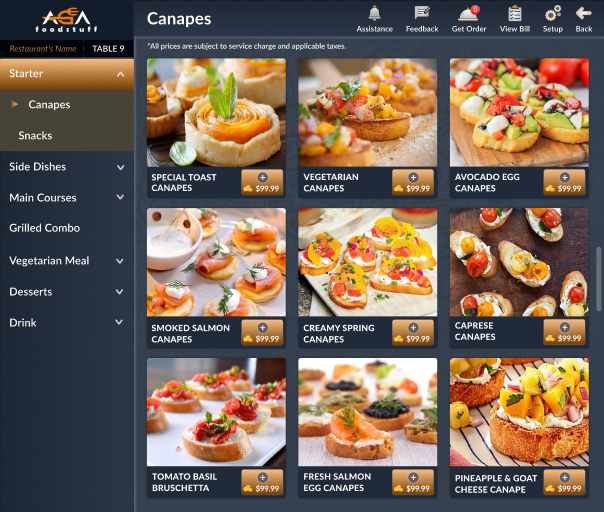
Tablet menu · Browse dishes
Product video
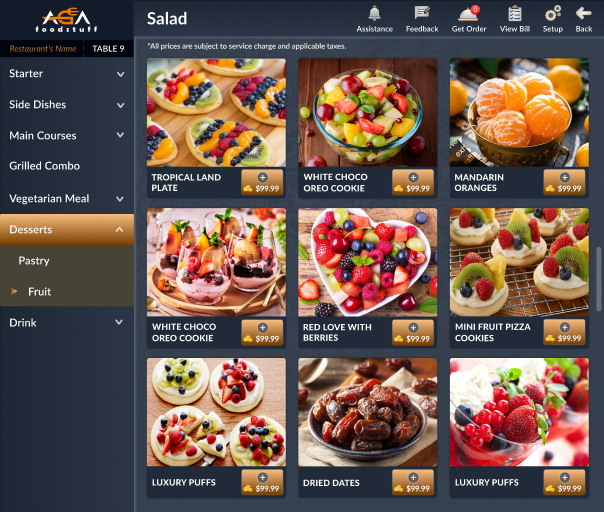
Clear categories and dish photos help guests explore the menu at their own pace.
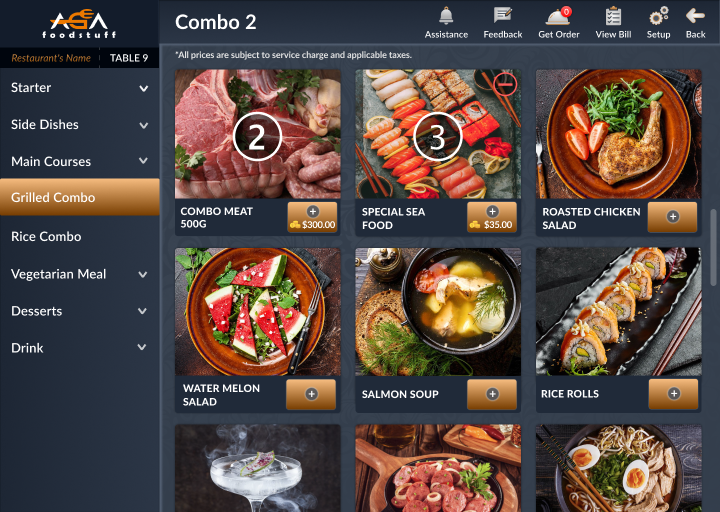
Move between menu groups and subcategories, with photos and prices beside each dish.
Assistance, feedback and the bill are accessible from the top menu while guests browse.
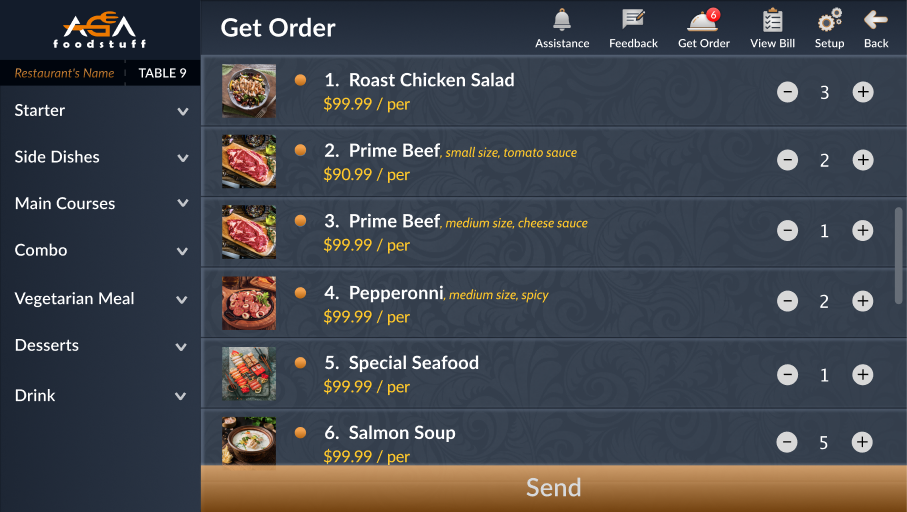
The order list brings selected dishes, quantities and item options together in one view.
Use plus and minus controls to check the number of portions before confirming.
One Send action submits the current selection. The table number stays visible throughout the ordering flow.
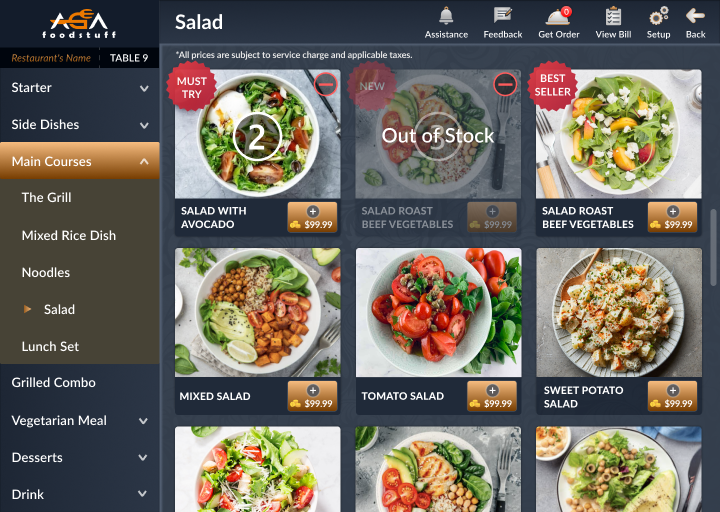
Show guests what to try and which dishes are currently unavailable, directly in the menu.
Highlight signature dishes, guest favourites and new additions with visible menu labels.
Unavailable dishes are dimmed and labelled Out of Stock so guests can choose an alternative.
Present meat, seafood and shared dishes in a dedicated combo category, with selected quantities visible on the menu.
Bring a consistent tablet ordering experience to the table. Discuss menus, devices and rollout for each location with ATC.
Organise meat, seafood, vegetables and shared combos so guests can choose portions for the whole table.
Let guests explore sushi, side dishes and drinks by image, and select additional dishes from their seat.
Tell ATC about your restaurant concept, number of tables and locations to discuss the right tablet setup.
Contact ATC →Prepare your restaurant concept, number of tables, locations and existing POS setup.
Confirm tablet compatibility, network requirements and order routing with ATC before rollout.
Confirm software, hardware, setup, training, support and recurring fees in your quotation. Product images do not confirm hardware availability.