
ATC GroupATC GroupATC GroupTechnology · Design · Marketing
Contact ATC

Displays & signage

Turn a screen into a story.

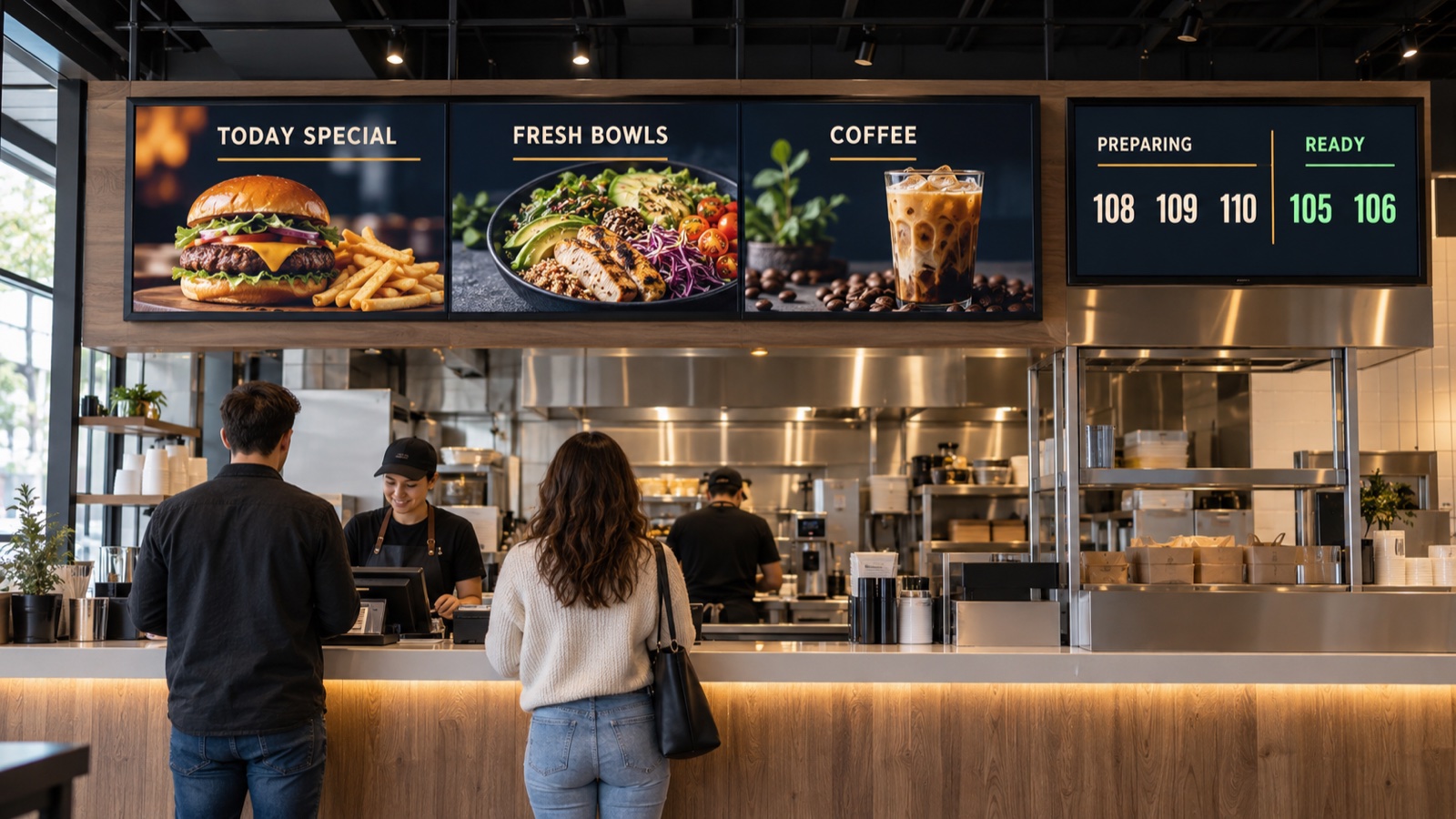
Show menus and promotions above the cashier, and order numbers at the pickup counter. Manage your images and videos in a playlist.

Illustration of menu and advertising screens above a restaurant cashier, beside an order pickup display
Illustration · Menu, promotions and order pickup in one restaurant.

DIGITAL SIGNAGE IN RESTAURANTS

From the cashier to the pickup counter.

Help guests choose their meal, spot an offer and know when their order is ready.

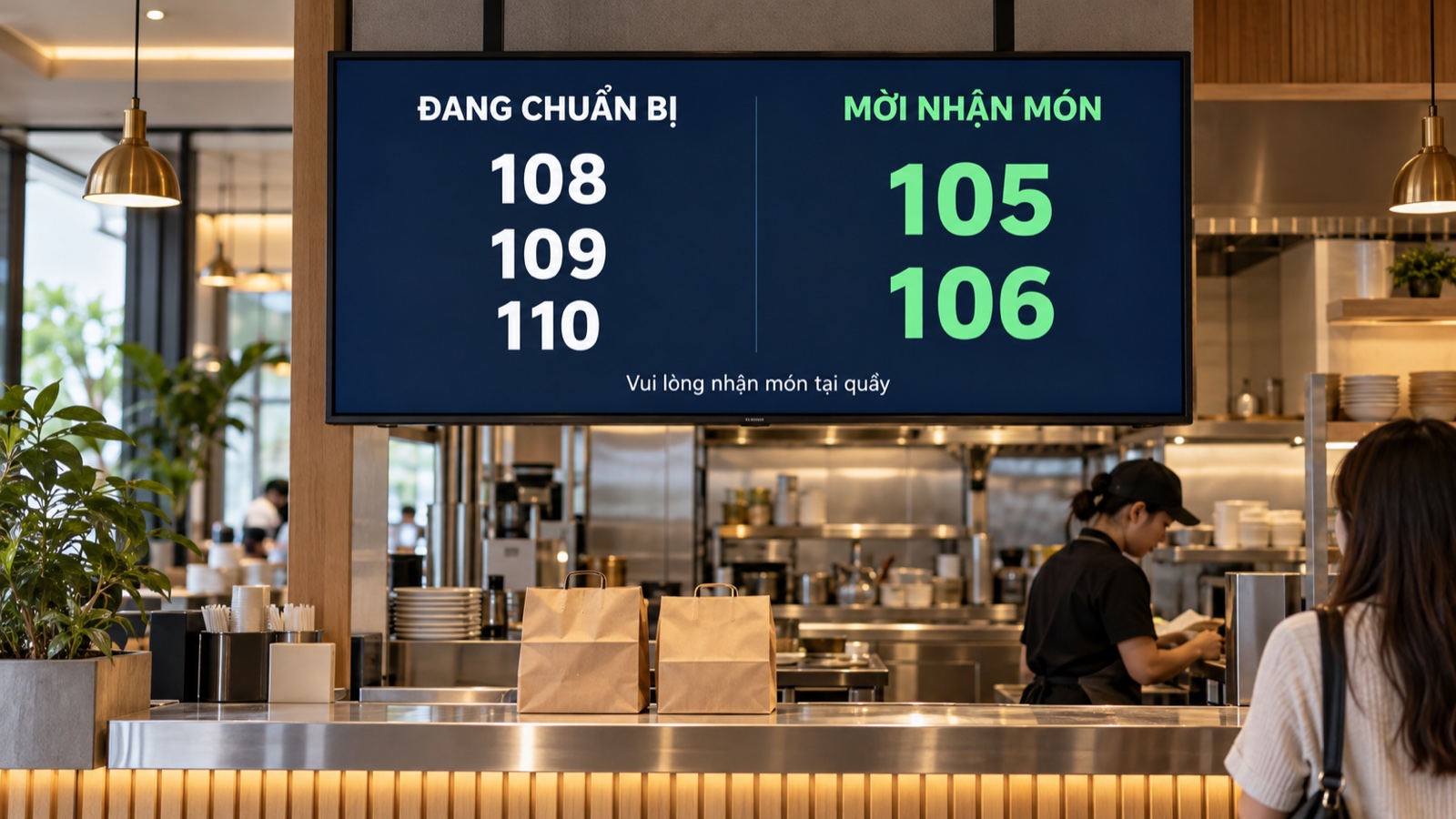
Illustrative restaurant pickup screen with preparing orders 108, 109 and 110, and ready orders 105 and 106
Illustration · Order pickup screen with sample numbers.

01 / ORDER PICKUP

Your number is up. Your meal is ready.

Separate orders being prepared from orders ready to collect. Large, clear numbers let guests follow their order from the waiting area.

Sample order numbers. POS and kitchen connections are configured for each project.
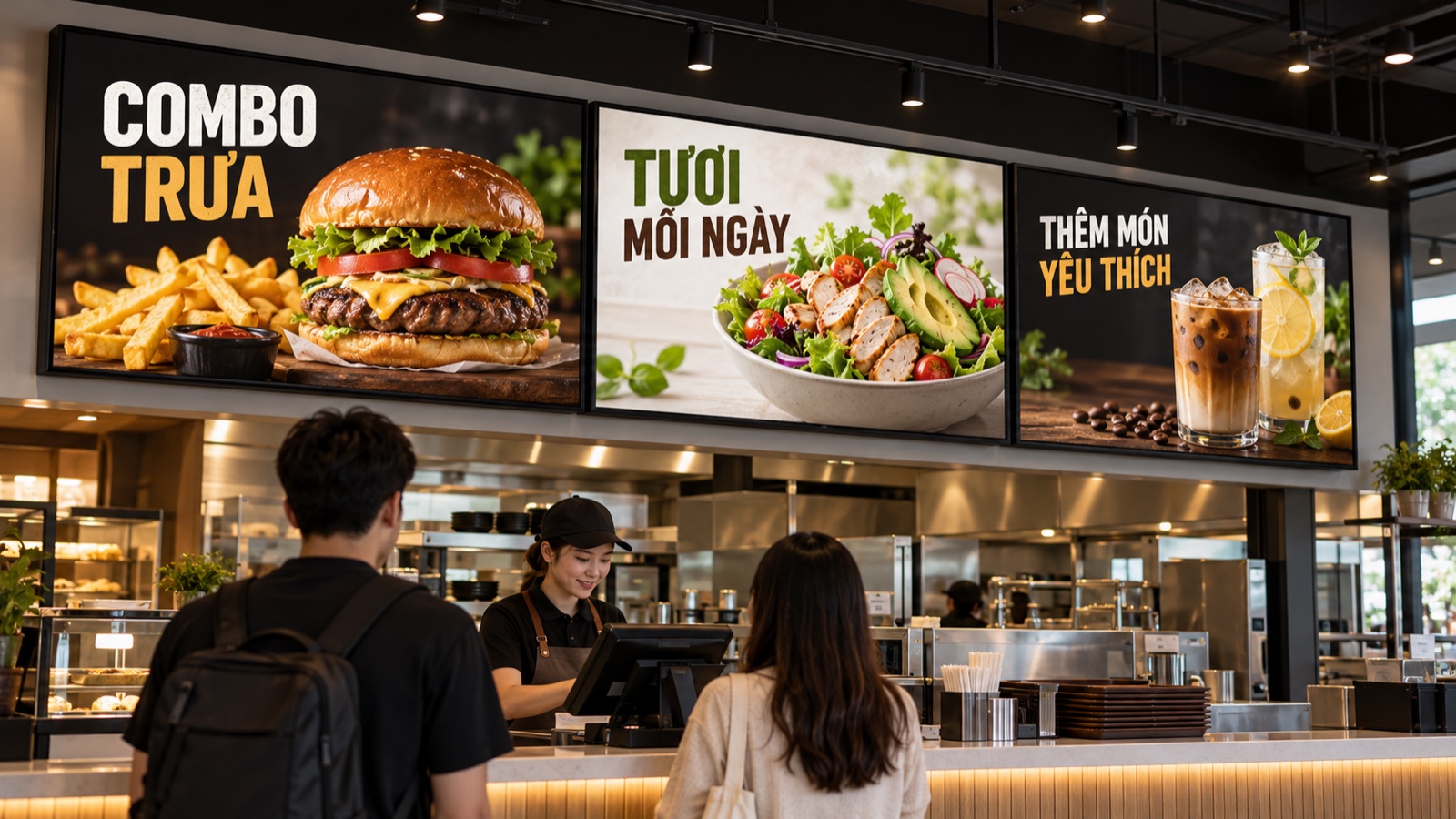
Illustration of three menu and promotional screens installed above a restaurant cashier
Illustration · Menu and promotional screens above the cashier.

02 / ABOVE THE CASHIER

Make the menu part of the experience.

Present your menu, meal deals and seasonal drinks on screens above the counter. Use food photography and video to show guests what is on offer while they choose.

Show one campaign across several screens, or give each display its own content.

01 / Digital Signage

From installation to playback

Connect the display, add your media and build the sequence customers will see.

01 · Open the player

Open the signage player on a supported Android TV or display device.

02 · Connect your device

Keep the Android device and your phone or laptop on the same Wi-Fi network. Open the address shown on the screen.

03 · Add content

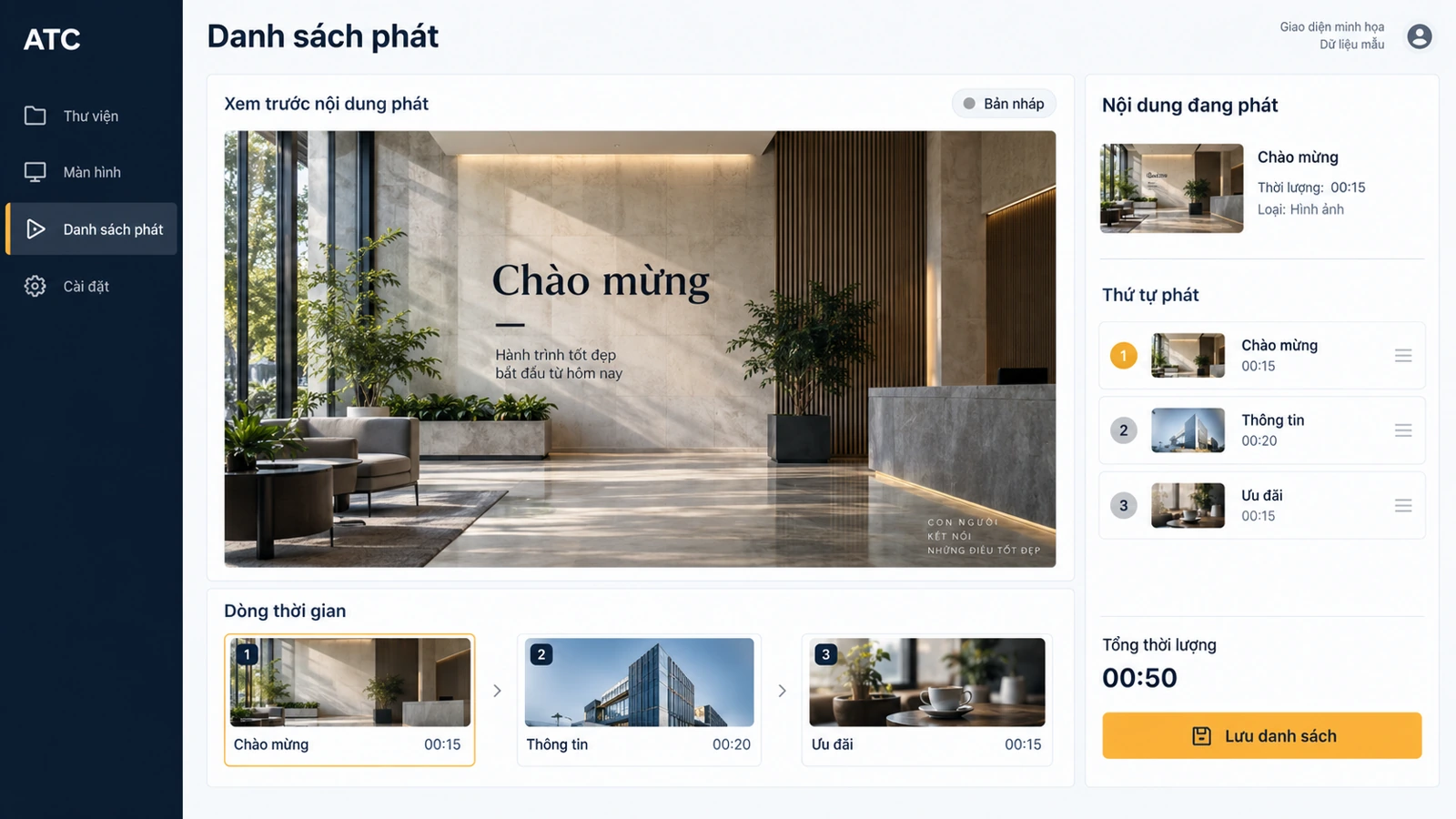
Upload images and videos to the local library. Adjust transition effects and duration.

04 · Build a playlist

Arrange content in a timeline, save the playlist and display it on screen.

Illustrative signage playlist with a preview and clip sequence
Interface illustration

AI capabilities

From one promotion to content ready for each screen.

Preparing a headline, adapting its format and scheduling it can take longer than choosing the offer. AI can draft the message and a time-based playlist, then gather screen alerts for review. Your team approves the content and schedule before publishing.

Create display content

Give AI a promotion, audience and screen format. Receive headline and layout suggestions to review together, instead of drafting each display message from scratch.

Plan the right playlist

Breakfast content in the morning, dinner offers later. AI drafts a playback sequence from your time and location rules for the team to approve.

Summarize screen activity

“Which screens need attention?” AI groups device alerts and playback logs into a short action list, helping staff investigate without reading every log.

AI options depend on product edition, connected data and agreed scope. Your team reviews drafts before orders, messages or changes are submitted.

Discuss AI options

02 / Digital Signage

Content for your setting

Adapt the content to the place and the people watching it.

Retail

Promote products and services and share useful information with shoppers.

Education

Display events, campus information, announcements and café menus.

Waiting and reception areas

Help inform and entertain visitors, with wayfinding content where appropriate.

Food and beverage

Show menus and promotions in quick-service restaurants, cafés and bars.

Content for your setting

Let’s talk about your business.

Discuss Digital Signage with the ATC team.

Contact ATC →
Before your demo

Describe your scope

Prepare your business type, country, number of locations and the workflows you want to improve.

Check your setup

Ask ATC to confirm device models, payment providers, integrations and data migration for your project.

Request a written scope

Confirm software, hardware, setup, training, support and recurring fees in your quotation. Product images do not confirm hardware availability.