
01 · Set up the device
Install the attendance app on a supported Android phone or tablet.

 ATC GroupTechnology · Design · Marketing
Choose your language
People & analytics
Use a compatible Android device as a clock-in station, then review timesheets through the attendance portal.
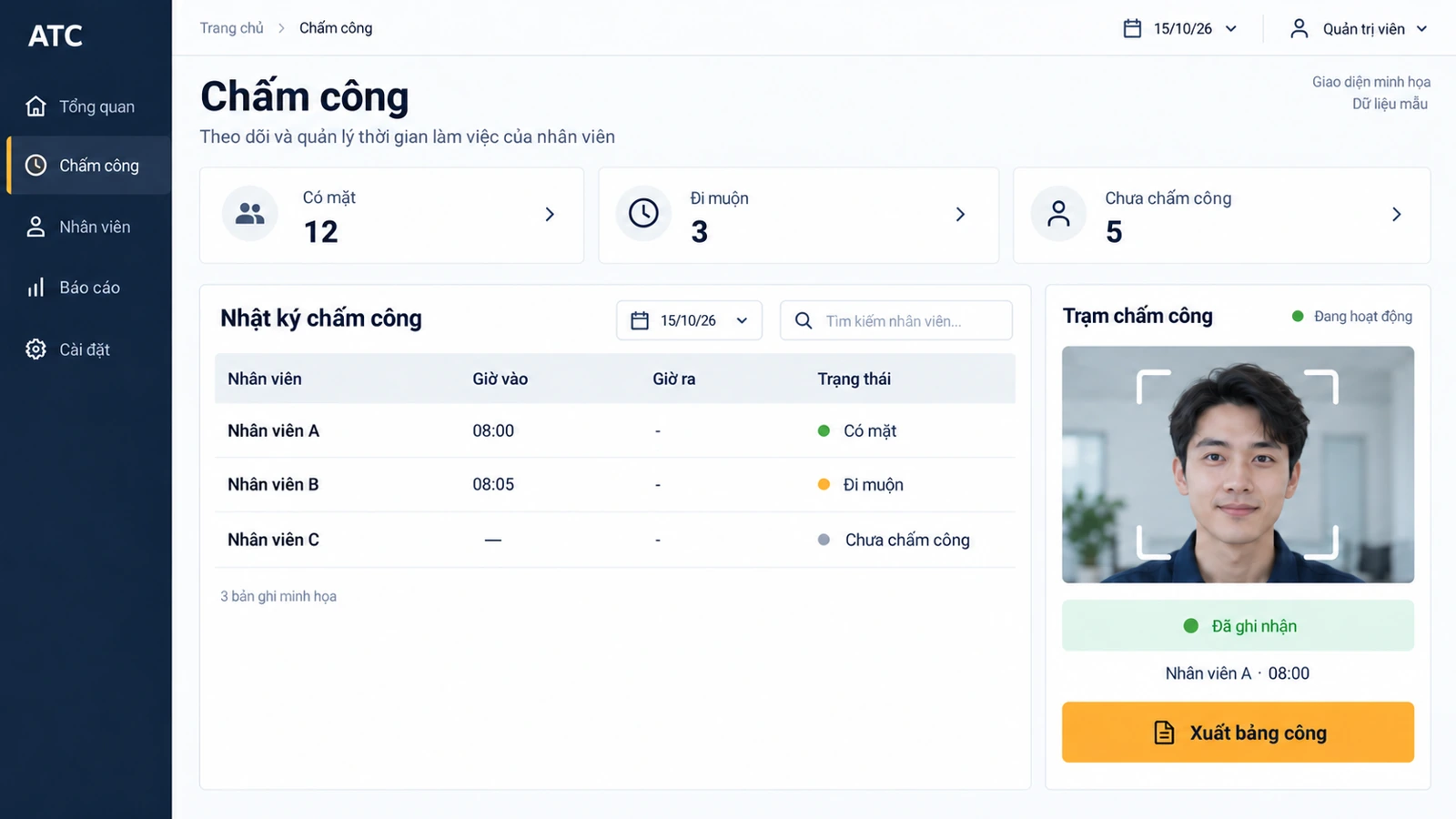
Interface illustration
Use a compatible device as the attendance station and the portal for reporting.
Install the attendance app on a supported Android phone or tablet.
Sign in with the email used for your attendance account.
Add employees and their facial data for clock-in and clock-out.
Open the portal from your phone or laptop to collect attendance records.
AI capabilities
A missing clock-out can get buried in a long timesheet. AI can find incomplete or conflicting entries, gather the relevant records and prepare a period summary. Managers review the evidence before correcting time or approving the report.
“Who has a missing clock-out?” Retrieve the relevant records within your access permissions. Managers can start with exceptions instead of searching the entire attendance list.
AI brings missing and conflicting punches into a review queue with supporting records. Managers verify the evidence before any correction changes the timesheet.
Prepare the period’s recorded hours, absences and unresolved entries in one summary. Review the exceptions alongside source records before completing the staff report.
AI options depend on product edition, connected data and agreed scope. Your team reviews drafts before orders, messages or changes are submitted.
Discuss AI optionsConnect everyday clocking with working-time records.
Use multiple-face and real-time face detection in the attendance workflow.
Access attendance data through an internet-connected device.
Record attendance offline and synchronize when the connection returns.
Set allowed times for check-in and check-out.
Discuss Android and Windows app configurations, including compatible cameras.
Review hours worked and missed clock-ins or clock-outs, with daily and individual reports.
Discuss Facial Recognition Attendance with the ATC team.
Contact ATC →Prepare your business type, country, number of locations and the workflows you want to improve.
Ask ATC to confirm device models, payment providers, integrations and data migration for your project.
Confirm software, hardware, setup, training, support and recurring fees in your quotation. Product images do not confirm hardware availability.