


ATC GroupATC GroupATC GroupTechnology · Design · Marketing
Contact ATC

Retail & operations

Keep the queue moving. Keep your business in view.

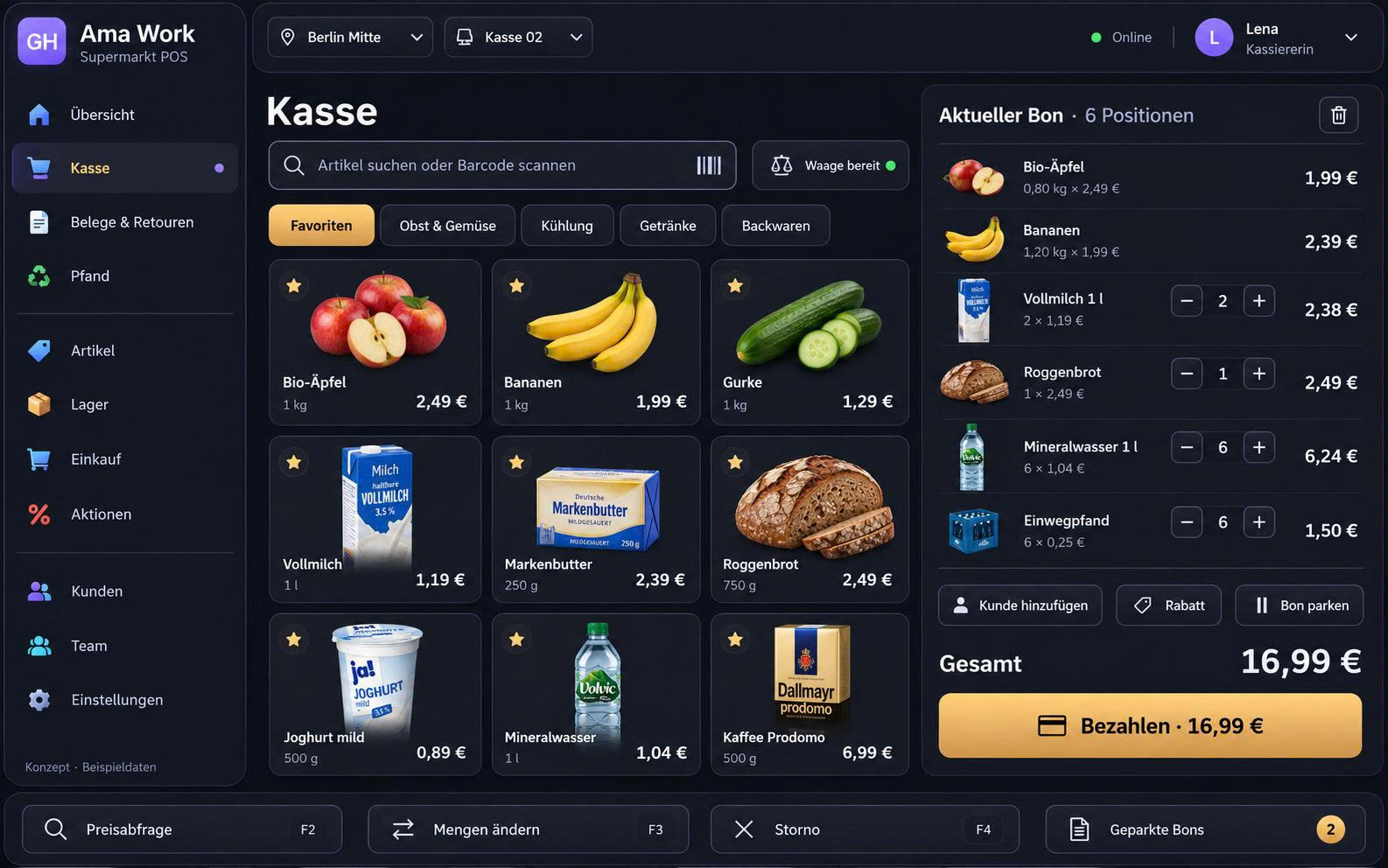
A busy shop needs more than a till. Connect barcode checkout, stock, returns and shift records with Retail POS, so your team can serve customers while you keep track of money, merchandise and the next buying decision.

Ama Work — Retail checkout with products and receipt, sample data

Ama Work · Retail checkout · Sample data

Busy selling. Still in control.

Is that bestseller still on the shelf? Was the refund recorded? Why does the cash count differ? These are the questions that matter when you cannot watch every counter. Connected sales, stock and payment records give you a place to start checking, instead of chasing answers across notebooks and spreadsheets.

Illustrative retail store with a checkout counter

AI capabilities

AI that helps owners get to the next decision.

Start with three useful workflows: turn documents into reviewable records, prioritise stock checks and explain sales results. These are AI scenarios to scope with ATC around your POS, bookkeeping and available data.

From paperwork to searchable records

With document capture connected, AI can read a supplier invoice or delivery note into a draft: supplier, date, items, quantities and amounts. Staff check it against the original and resolve unmatched product codes before saving. Agreed indexing then helps retrieve the source when a number needs explaining.
Know which stock needs attention first

Using sales history, current stock and agreed thresholds, AI can suggest a list to review: fast sellers running low, slow-moving lines or unusual stock differences. The owner checks promotions, incoming orders and actual counts before approving replenishment or any adjustment. Missing or stale data is flagged, not guessed.

Ask what changed, not just how much sold

“Sales rose this week. Why did gross margin fall?” With complete cost, discount and return data, AI can compare periods, break down results by product and link source records for review. Without those inputs, it should report the gap instead of inventing profit. Your team checks the explanation before changing prices or purchasing.

Availability depends on the selected edition, connected POS and bookkeeping modules, access permissions and agreed implementation. Confirm these scenarios in a demo with representative records. AI prepares suggestions; authorised staff approve saved records, orders and stock changes. Backup and retention remain part of the agreed system setup.

Scope AI for my store →

01 / Retail POS

Keep bestsellers available. Spot stock tying up cash.

Every box on the shelf is money invested. See the exact item, its availability and its sales history before deciding what to replenish.

Product codes and variants

Keep each size, colour and material under its own product code. Staff can identify the exact variant a customer wants instead of treating every version as the same item.

Stock updates

Use barcode scanning when adding or updating products, and low-stock alerts to identify items needing attention. Replenishment starts from a stock record you can check, not a last-minute call from the checkout.

Inventory reporting

Compare item sales with recorded costs and stock levels to review slow-moving lines. Where cost data is complete, assess gross margin alongside turnover before committing more money to the next order.

02 / Retail POS

A smoother checkout. A traceable return.

Customers expect the right item, the right price and a clear receipt. Your team needs a consistent way to collect payment and check returns, even when the queue grows.

Ways to pay

Let customers pay in the way they expect, while your team can check how each sale was paid. Card, gift-card and contactless options depend on supported providers and devices. Confirm the payment flow and refund handling together, so convenience at the counter still leaves clear records at closing.

Prices, tax and promotion rules

Apply configured tax rates to sales. Bring your discount, bundle and member-price rules to the demo so ATC can confirm which are supported and how staff apply them at checkout.

Reconcile refunds with the original sale

Check the original sale and payment before processing a return. During setup, confirm how exchanges, split-payment refunds, stock adjustments and offline sales are handled, so staff know the agreed procedure when an exception occurs.

Payments and returns
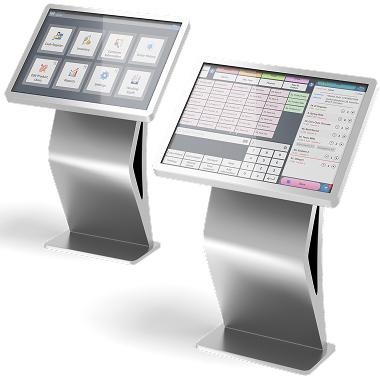
Device illustration. Confirm supported models with ATC.

03 / Retail POS

Add a sales channel. Keep the operation connected.

A product sold online still comes from your stock. Plan the connection between channels so your team can check availability and fulfil orders from a shared understanding of the business.

Check availability before making a promise

When the storefront and stock system are connected, the team has a clearer basis for checking whether an online order can be fulfilled. Plan which stock is available to each channel and how returns are reflected, especially when the same item sells in the shop and on the website.

Agree what synchronizes, and when

Ask ATC to demonstrate product, price, stock and order updates with your intended storefront. Confirm synchronization timing and what staff do when a connection is interrupted. Product visibility on Google and other integrations are scoped separately for the selected setup.

Connect in-store and online sales
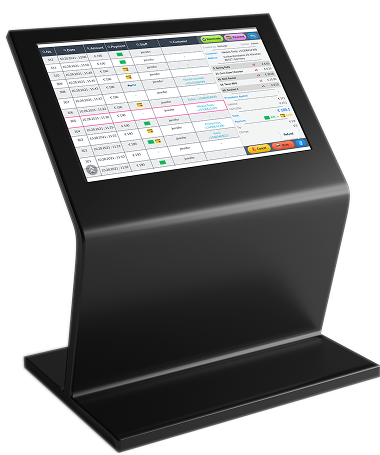
Device illustration. Confirm supported models with ATC.

04 / Retail POS

Close the shift knowing what needs attention.

A sales total is only the beginning. See where money came from, what was refunded and which products or shifts deserve a closer look before the next working day.

End-of-day reconciliation

Compare recorded sales, cash, card payments and refunds with the handover totals. Keep the supporting receipts and identify the difference while the shift is still fresh in everyone’s mind.

Sales reports

Review sales by period, product code, order type and employee. Use the breakdown to find busy hours, compare product performance and decide where to investigate; turnover alone does not tell you net profit.

Staff management

Assign roles and permissions, and review recorded working hours. Agree who may discount, refund or adjust stock during setup, so sensitive actions follow your store’s responsibilities rather than a shared login.

Prepare the real trading day

With ATC, walk through your scanner, receipt printer, payment terminal and product data before launch. Rehearse checkout, a return and shift closing with your team, then agree how support is reached when the shop is open.

05 / Retail POS

Made for different retail businesses

Choose a setup around your products, checkout and store operation.

Supermarkets & convenience stores

Prioritise fast barcode lookup, frequent purchases, replenishment and cash reconciliation. If your range includes weighed goods, expiry dates or deposits, bring those cases to the demo and confirm the required scale and tracking support.

Fashion & specialist shops

A popular style may still be missing the size your customer wants. Track variants by SKU and check exchanges against the original sale. Include seasonal promotions and member pricing in your setup discussion.

Growing stores & multiple locations

Opening another location should not mean losing the overview. Define stock visibility, permissions and sales reports by store, then confirm the supported stock-transfer and online synchronization workflows before rollout.

06 / Retail POS

Find the record. Explain the difference.

A supplier invoice, a delivery note, a till receipt and a refund each tell part of the story. Plan how these records are stored and linked, so your office can follow a transaction without asking the shop to reconstruct it.

Prepare the bookkeeping handover

Agree document search, access rights, retention, backup and export requirements with ATC. Retail POS supplies sales and payment records; the connected bookkeeping setup determines invoice storage and accountant exports. DATEV connections apply to Germany.

Explore accounting software →

Questions before choosing Retail POS

Does Retail POS replace bookkeeping software?

Retail POS records what the store sells, receives in payment, refunds and moves in stock. Supplier invoices, business expenses and accountant handovers belong to the connected bookkeeping workflow. Agree how the records are linked and exported, so the same sale can be traced from checkout to the office without treating sales turnover as profit.

Can I use my existing hardware and payment provider?

Share your terminal, barcode scanner, receipt printer and payment-provider details with ATC. Compatibility depends on the selected setup. If you sell by weight, also confirm scale support before implementation.

How is Retail POS priced?

Request a quote based on your country, store count, checkout points and required workflows. Separate one-off hardware, migration, setup and training from recurring software and support fees. Ask for payment-provider charges and any AI or integration costs to be identified, so you can compare the full operating cost. No standard price is published here.

Will AI change my stock or order goods by itself?

The scenarios on this page use a review-and-approve workflow. AI reads only the data made available to it and prepares drafts or explanations. Confirm source links, user permissions, approval steps and activity records with ATC. Document storage, backup and retention need their own agreed setup; AI does not replace them.

What should I test before moving from my current POS?

Use representative products with variants, a promotion, a return and an end-of-day cash difference. Check barcode devices, payment compatibility and the reports you actually use. Agree which product, customer, stock and historical transaction data can be migrated, how opening balances are checked, and who trains and supports the team.

See your store’s working day in the demo.

Bring a product list, an example return and the report you need most. ATC can map the checkout, stock, records and AI scope around those real situations, so you can judge the fit before choosing a setup.

Contact ATC →
Before your demo

Describe your scope

Prepare your business type, country, number of locations and the workflows you want to improve.

Check your setup

Ask ATC to confirm device models, payment providers, integrations and data migration for your project.

Request a written scope

Confirm software, hardware, setup, training, support and recurring fees in your quotation. Product images do not confirm hardware availability.